Next.js Blog Architecture: Build a Scalable Blog with a Headless CMS
Learn how to build a scalable Next.js blog with a headless CMS, clean APIs, SEO, media, analytics, search, and maintainable content architecture.
9 min read
How to Build a Scalable Blog Architecture with Next.js and a Headless CMS
A scalable Next.js blog architecture starts with a simple idea: keep the website frontend in Next.js and keep content management in a dedicated headless CMS.
Then the requirements grow.
You need categories, tags, authors, SEO metadata, featured images, search, pagination, drafts, publishing workflows, analytics, related posts, and eventually multiple applications consuming the same content.
At that point, the question is no longer how to add a blog to Next.js.
The real question becomes:
How do you build a blog architecture that stays clean as your website, content library, and team grow?
A strong approach is to keep the frontend in Next.js and move content management into a headless CMS with a reliable API.
This guide explains how that architecture works, what to separate, what to keep together, and how CMSKite fits into the workflow.
What a scalable Next.js blog architecture looks like
A scalable blog should separate responsibilities instead of putting everything inside one application.
A useful model is:
Content layer → API → Next.js application → Reader experience
The content layer manages structured information such as posts, categories, tags, authors, SEO metadata, publishing status, and media.
The API delivers that content.
Next.js handles the website experience.
This separation means you can change the frontend without rebuilding your content system.
You can also improve the content workflow without changing the website architecture.
That independence becomes more valuable as the project grows.
Why not keep blog content inside the Next.js codebase?
For a tiny personal site, storing Markdown files inside a repository can be perfectly reasonable.
But a content-heavy website eventually needs more than files.
Imagine your team wants to:
- Edit articles without opening a code editor
- Add authors
- Schedule publishing
- Manage categories
- Change SEO metadata
- Upload featured images
- Search old posts
- See content performance
- Reuse content in another application
A Git-based content workflow can start feeling like an engineering system rather than a publishing system.
A CMS solves that by giving the content team their own workflow while developers keep control of the application.
The core principle: content and presentation should be separate
A headless CMS removes the requirement that the CMS should also control the website.
That means your content can be:
Structured once → Delivered through an API → Rendered anywhere
The frontend can use the same post data for:
- A blog listing
- An article page
- Related posts
- Search results
- A mobile app
- Documentation
- A newsletter workflow
- Internal content tools
This is one of the biggest advantages of a headless content architecture.
You are not storing a page.
You are storing reusable content.
What should live in the CMS?
A good rule is:
Store content in the CMS. Store application behavior in Next.js.
Content data usually belongs in the CMS:
- Title
- Slug
- Body
- Excerpt
- Author
- Category
- Tags
- Featured image
- Publish date
- SEO title
- Meta description
- Canonical URL
- Focus keyword
- Indexing settings
Application behavior belongs in Next.js:
- Layout
- Components
- Navigation
- Search UI
- Authentication
- Interactive elements
- Loading states
- Routing behavior
- Caching strategy
- Deployment configuration
This boundary keeps both systems easier to maintain.
Design your API around the way the frontend reads content
One of the easiest mistakes is designing the content API around the database instead of the website.
Your Next.js application usually needs a few predictable operations:
List posts
Used for a blog index or category page.
Get post by slug
Used for the article page.
Filter by category
Used for topic pages.
Filter by tag
Used for tag archives.
Search
Used when the content library becomes large.
Paginate
Used when you have more posts than you want to render at once.
The API should make these operations straightforward.
The frontend should not need to understand how the CMS stores the data internally.
Use a clear published-content boundary
A production website should not accidentally render drafts.
The content layer should make publishing state explicit.
A common model is:
Draft → Review → Published → Archived
Your Next.js application should request the appropriate content state for the environment and page being rendered.
For the public blog, that generally means published content only.
This small architectural decision prevents a surprising number of content mistakes.
Make SEO part of the content architecture
SEO should not be treated as a separate spreadsheet or database.
It belongs close to the article.
A modern blog post can carry:
- Search title
- Meta description
- Canonical URL
- Focus keyword
- Open Graph image
- Clean slug
- Indexing preference
Then your Next.js page can use those fields directly when generating metadata.
This has two advantages.
First, writers can manage SEO while publishing.
Second, developers do not need to hard-code metadata for every article.
For a deeper SEO workflow, see SEO Best Practices for Blogs in 2026.
Build your URL structure carefully
URLs are part of your information architecture.
For a blog, a predictable structure might look like:
/blog
/blog/category/headless-cms
/blog/best-headless-cms-for-next-js-2026
Keep URLs readable and stable.
Avoid including internal database IDs when a useful slug can describe the article.
Most importantly, do not change URLs casually after content starts receiving search traffic.
If you must rename a slug, make sure the old URL is redirected correctly.
Featured images are part of content, not frontend decoration
A blog image should be treated as content metadata.
The CMS can store the featured image and alt text alongside the article.
The Next.js application then decides where and how to display it.
That makes the workflow consistent.
A writer creates the article, uploads the banner, sets the alt text, and publishes.
The frontend automatically receives the finished content.
This is much cleaner than asking developers to manually update an image path every time a post is published.
Add internal linking as part of your content strategy
A scalable blog is not just a list of articles.
It is a connected information system.
Suppose your core topic is headless content infrastructure.
You can create a content cluster such as:
Headless CMS → Blog API → Next.js → SEO → Analytics → Content strategy
Each article answers a specific search question while helping readers discover related resources.
For example, your guide about architecture can link to How to Choose the Best Headless CMS for Next.js, while the implementation article can link to How to Use CMSKite with Next.js.
This creates stronger navigation for both users and search engines.
Keep pagination simple
A growing blog should not render hundreds of posts on one page.
Use a predictable pagination strategy.
Depending on the API, that could be:
- Cursor pagination
- Offset pagination
- Load more
- Infinite scrolling
For content-heavy systems, cursor pagination is often useful because it works well when new posts are continuously added.
The important point is that pagination should live at the API layer rather than requiring the frontend to download the entire content library.
Search should be a content capability
Search becomes increasingly important as your archive grows.
At 20 posts, a simple filter might be enough.
At 500 posts, users expect a proper search experience.
A good content API should let your Next.js application search by relevant fields without duplicating the entire content database inside the frontend.
This also gives you flexibility to improve search later without changing the publishing workflow.
Analytics should be connected to content
A scalable blog should answer more than:
How many articles did we publish?
It should help answer:
Which articles are actually useful?
Useful content analytics can show:
- Views
- Unique readers
- Clicks
- Popular posts
- Daily trends
- Content performance over time
That information can feed the editorial strategy.
For example, a post receiving strong impressions but weak clicks may need a better title.
A post receiving traffic but low engagement may need better structure.
A post performing consistently well may deserve a deeper follow-up article.
This creates the loop:
Publish → Measure → Learn → Improve
Where CMSKite fits into the architecture
CMSKite is designed to act as the content infrastructure layer while your application remains responsible for the frontend.
A typical workflow is:
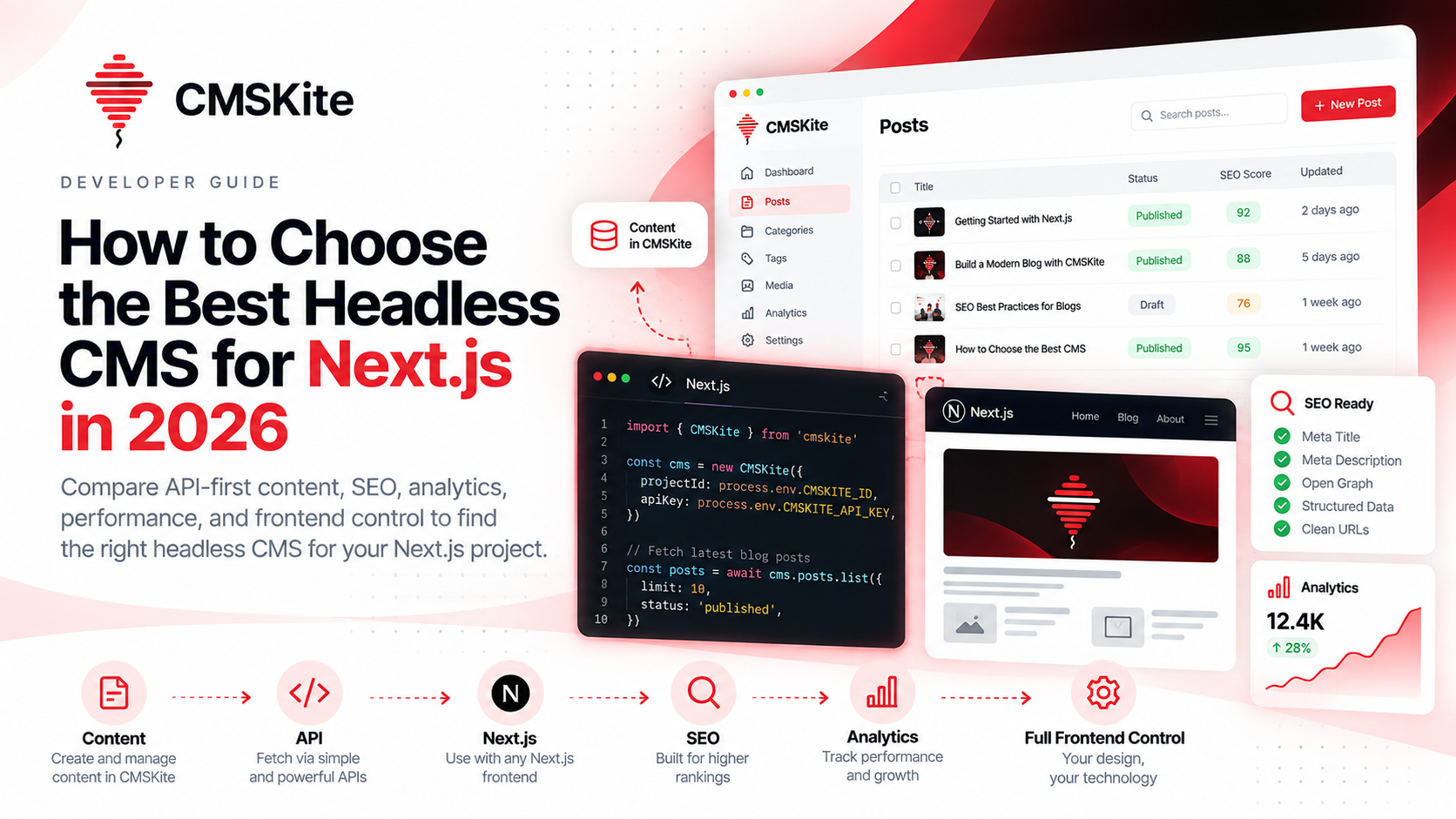
Create content in CMSKite → Optimize SEO → Publish → Fetch through API → Render in Next.js → Measure analytics
The CMS handles structured blog content and publishing.
Next.js handles the website.
The API connects the two.
This is useful when you want the freedom to evolve the frontend independently from the content system.
For a practical integration walkthrough, see How to Use CMSKite with Next.js.
You can also read Headless Blog API Explained for the broader architecture.
A scalable project structure in Next.js
The exact folder structure depends on your application, but it is useful to keep CMS access separate from UI components.
A simple conceptual structure could look like this:
app/ blog/ page.tsx [slug]/ page.tsx
lib/ cms/ client.ts posts.ts categories.ts tags.ts
components/ blog/ PostCard.tsx PostList.tsx PostContent.tsx RelatedPosts.tsx
The important principle is not the exact folder names.
It is the separation of responsibilities.
Your components should not need to know how the CMS authentication works.
Your CMS client should not contain presentation logic.
That makes the system easier to test and change.
Keep CMS credentials on the correct side of the application
Content APIs often use project-level credentials.
Treat those credentials carefully.
For server-side fetching, keep secret credentials in environment variables and use them on the server.
Do not expose privileged CMS credentials in client-side JavaScript.
The frontend should only receive the data it actually needs.
This is especially important when your content platform supports both read-only website keys and more powerful automation credentials.
Keep those responsibilities separate.
Build for content growth, not just the first 20 posts
A common architecture mistake is optimizing only for launch day.
The website works beautifully with ten articles.
Then you reach 300 articles and discover that:
- Search is slow
- Category pages are huge
- Metadata is inconsistent
- Old URLs are difficult to manage
- Images are scattered
- Analytics are incomplete
- Content is hard to update
A scalable blog architecture anticipates those problems early.
You do not need enterprise complexity on day one.
You do need clean boundaries.
When should you use a headless CMS?
A headless CMS is a strong fit when:
- You already have a custom Next.js application.
- You want full frontend control.
- Content needs to be managed outside the codebase.
- SEO is important.
- The blog may grow significantly.
- Content may be reused by multiple applications.
- You want analytics connected to publishing.
- You do not want to build and maintain an internal CMS.
A simpler Markdown workflow can still be the right choice for a small personal site.
Architecture should match the actual product.
The architecture checklist
Before launching your blog, verify these areas.
Content
- Posts are structured.
- Draft and published states are clear.
- Authors, categories, and tags are supported.
- Media is attached to content.
API
- Posts can be listed.
- Posts can be fetched by slug.
- Search and filtering work.
- Pagination works.
- Only appropriate content is exposed publicly.
SEO
- Titles and descriptions are stored.
- Canonical URLs are supported.
- Slugs are clean.
- Indexing controls exist.
- Featured images have useful alt text.
Frontend
- Blog pages are fast.
- Content rendering is separated from CMS access.
- The design is controlled entirely by Next.js.
- Error and loading states are handled.
Growth
- Analytics are available.
- Internal links are planned.
- Old content can be updated.
- The architecture can support more content without a rewrite.
Final thoughts
A scalable blog is not really about building a better article page.
It is about building a better content system.
When your CMS manages structured content, your API delivers it, and Next.js owns the presentation layer, each part of the system can evolve independently.
That gives you a cleaner developer experience, a better publishing workflow, and more flexibility as the website grows.
The architecture is simple:
CMS manages the content.
API delivers the content.
Next.js owns the experience.
Analytics tells you what works.
That is the foundation of a modern blog that can grow from a few articles into a serious content platform.
And that is exactly where a developer-first headless CMS like CMSKite fits.
- #next-js
- #headless-cms
- #blog-architecture
- #cmskite
- #blog-api
- #seo
- #web-development
- #developer-tools