CMSKite for Squarespace
Add a blog to your Squarespace site with one Code block.
Paste two lines into a Squarespace Code block and your CMSKite posts appear on that page, in your site’s fonts and colours. Write with AI or without, invite writers who never touch Squarespace, and know up front the one SEO limit Squarespace puts on it.
Why not just use a Squarespace blog page?
Squarespace has blog pages built in. If you like writing in the Squarespace editor, keep using them: they are native to your site, with none of the SEO caveat below. People add CMSKite to Squarespace for other reasons:
- Writers stay out of Squarespace. Invite them to CMSKite as editors; they never see your site’s settings or billing.
- A draft from one sentence. Write with AI drafts posts in English, हिंदी or Hinglish, with headings and a search description.
- Views per post. The embed counts who reads what, without another analytics script.
- You may move one day. The posts live in CMSKite, and the same two lines work on WordPress, Shopify, Webflow or any HTML page.
Add it in five minutes
Copy your two lines
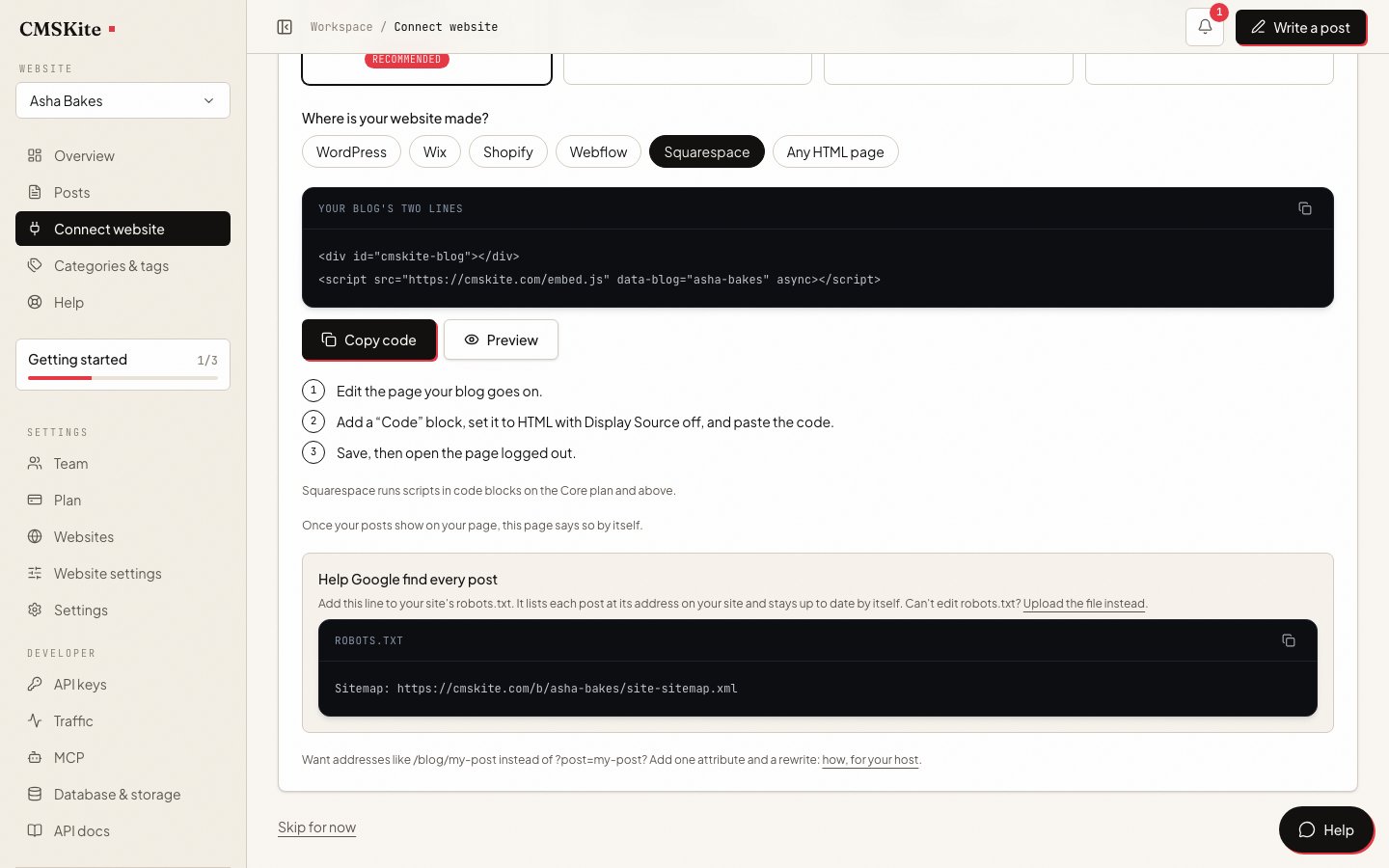
Sign up free. In the dashboard open Connect your website, choose Squarespace, and press Copy code.
Edit your blog page
In Squarespace, open the page your blog goes on (or add a blank page called “Blog”) and press Edit.
Add a Code block
Hover over a section, press Add block (or +), and choose Code. Press the pencil icon, make sure the type is HTML and Display Source is off, and paste the two lines.
html<div id="cmskite-blog"></div> <script src="https://cmskite.com/embed.js" data-blog="your-blog" async></script>Save, then check it logged out
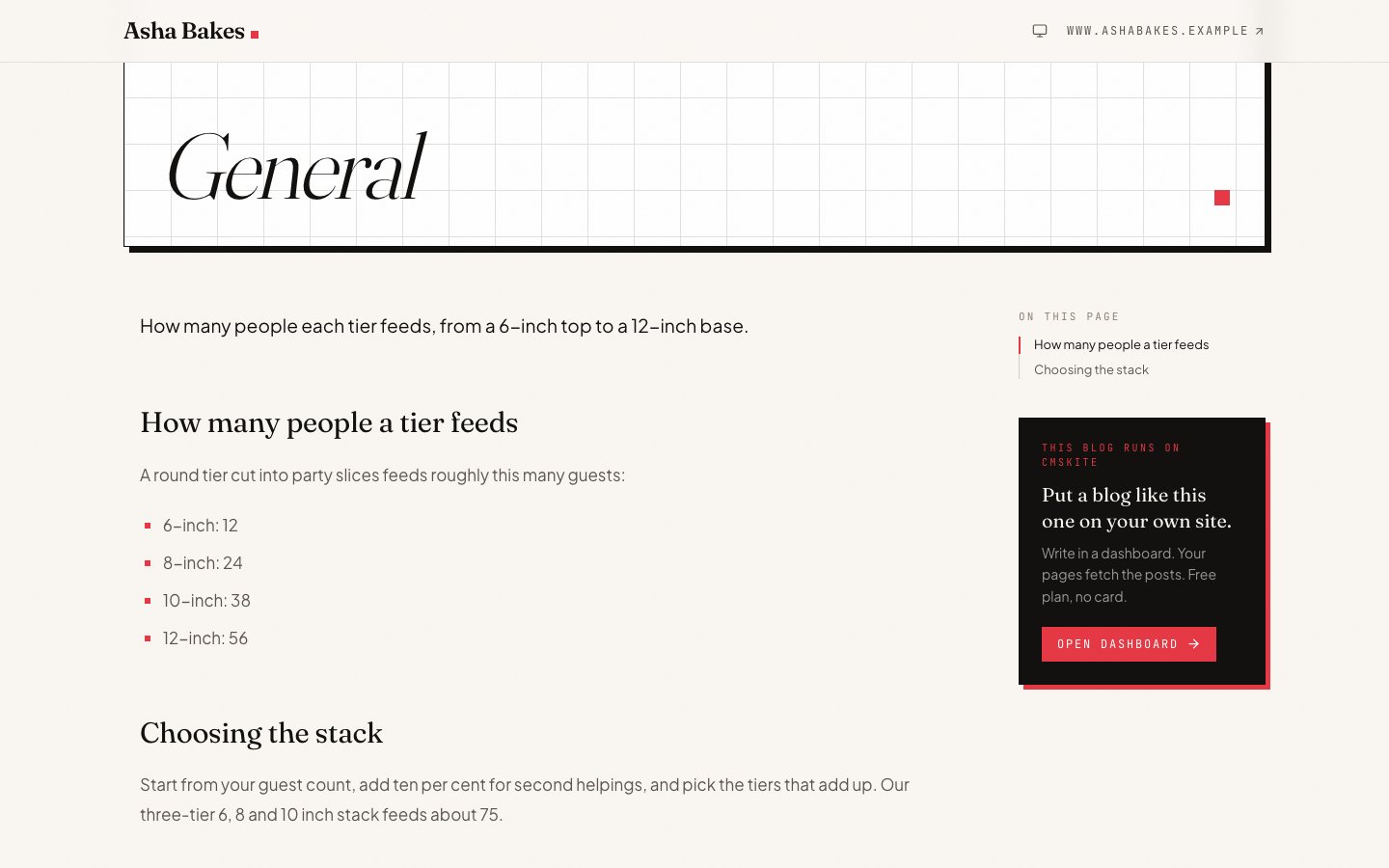
Save the page. Squarespace sometimes hides code while you are logged in, so open the page in a private window (or press Preview in Safe Mode). Your posts are listed, and a click opens the post on the same page.
Scripts in Code blocks run on the Core, Plus and Advanced plans, during trials, and on some older plans. On the current Basic plan the code stays in the block but does not run.
Common problems and fixes
The code shows on the page as text
The block’s type is CSS or JavaScript, or Display Source is on; both show code as text. Set the type to HTML and turn Display Source off.
Nothing shows while you are logged in
A Squarespace security measure. Log out or use Preview in Safe Mode; visitors see the posts.
A note says the code is not supported
The site is on the Basic plan, where scripts in Code blocks do not run. Upgrade to Core or above, or use your free blog link meanwhile.
The posts appear only after a refresh
Squarespace says Ajax loading can stop custom code running. Turn Ajax loading off to test.
Nothing shows on a page inside an Index
Squarespace says code may not render on a page within an Index. Put the blog on a page outside the Index.
SEO on Squarespace: one limit to know
When someone opens a post, the embed gives the page that post’s title, description, canonical link and article data, and its address is your blog page plus ?post=my-post.
The canonical link. Squarespace adds its own canonical link to your pages, and its page settings have no option to change or remove it. On your blog page that link names the blog page itself, even with a post open. The embed replaces it in the browser, but Google asks that a canonical link added by script not conflict with the one in the page’s HTML, and on Squarespace it does. So Google may index each post at its own address, or may treat it as your blog page. Squarespace leaves no setting to settle it.
The honest alternative. If ranking every post matters most, skip the Code block: link to your free blog link from your Squarespace menu and let the posts rank there, where each post’s canonical link is its own. Decide before you paste the lines: once your Squarespace page has shown the posts, the free blog points search engines to your Squarespace site instead.
The sitemap. Squarespace does not let you edit robots.txt, so you cannot name our sitemap of your posts there. Search engines find the posts by following the links on your blog page, which takes longer while the blog is new.
What it costs
| Free | Starter | Team | |
|---|---|---|---|
| Price | Free forever | ₹799 / $9 a month | ₹2,499 / $29 a month |
| Posts | 35 | Unlimited | Unlimited |
| Posts written with AI | 3 a month | 30 a month | 30 a month |
| Websites | 1 | 1 | 5 |
| Team members | 2 | 3 | 5 |
On the Squarespace side, the Code block’s script needs Core or above. The two lines are the same on every CMSKite plan.
Sources
- Code blocks — Squarespace Help Center
- Premium features — Squarespace Help Center
- Choosing the right Squarespace plan — Squarespace Help Center
- Page settings — Squarespace Help Center
- How blog tags and categories appear in search — Squarespace Help Center
- Understanding Google SEO emails and console errors — Squarespace Help Center
- JavaScript SEO basics (canonical links) — Google Search Central
Checked on 3 October 2026.
Questions
- Which Squarespace plan do I need?
- Core or above (or a trial) for the script in the Code block. On Basic, use your free blog link and link to it from your menu.
- Will my posts show up on Google?
- Usually, but Squarespace’s own canonical link on the blog page means Google decides whether each post is its own page. If that matters most, use the free blog link instead, as described above.
- Can I keep my Squarespace blog?
- Yes. Your Squarespace blog pages stay as they are. Put CMSKite on a page of its own and avoid writing the same topic in both.
- Does it slow my site down?
- No. The script is a few kilobytes, loads after the rest of the page, and only runs on the page you put it on.
- Is it free?
- Yes. The free plan includes a hosted blog, posts, and AI posts every month, with no card. The table above shows the current limits.
Related
- Your free blog linkA blog that works on any Squarespace plan, and ranks on its own.
- AI blog writerDrafts in English, हिंदी or Hinglish, for you to edit and publish.
- Add your blog with two linesEvery option of the embed, and what it does for search engines.
- CMSKite for WebflowThe same blog on a Webflow site.
- CMSKite for WixThe same blog on a Wix site.
Checked