Feature · Analytics
Know which posts get read. No cookies needed.
CMSKite counts how many people open each of your posts, without setting a cookie and without storing anyone’s IP address. On your free blog link and the two-line embed it works on its own; a site built with code adds one small snippet. Here is exactly what is counted, how, and where the numbers stop.
Where you see the numbers
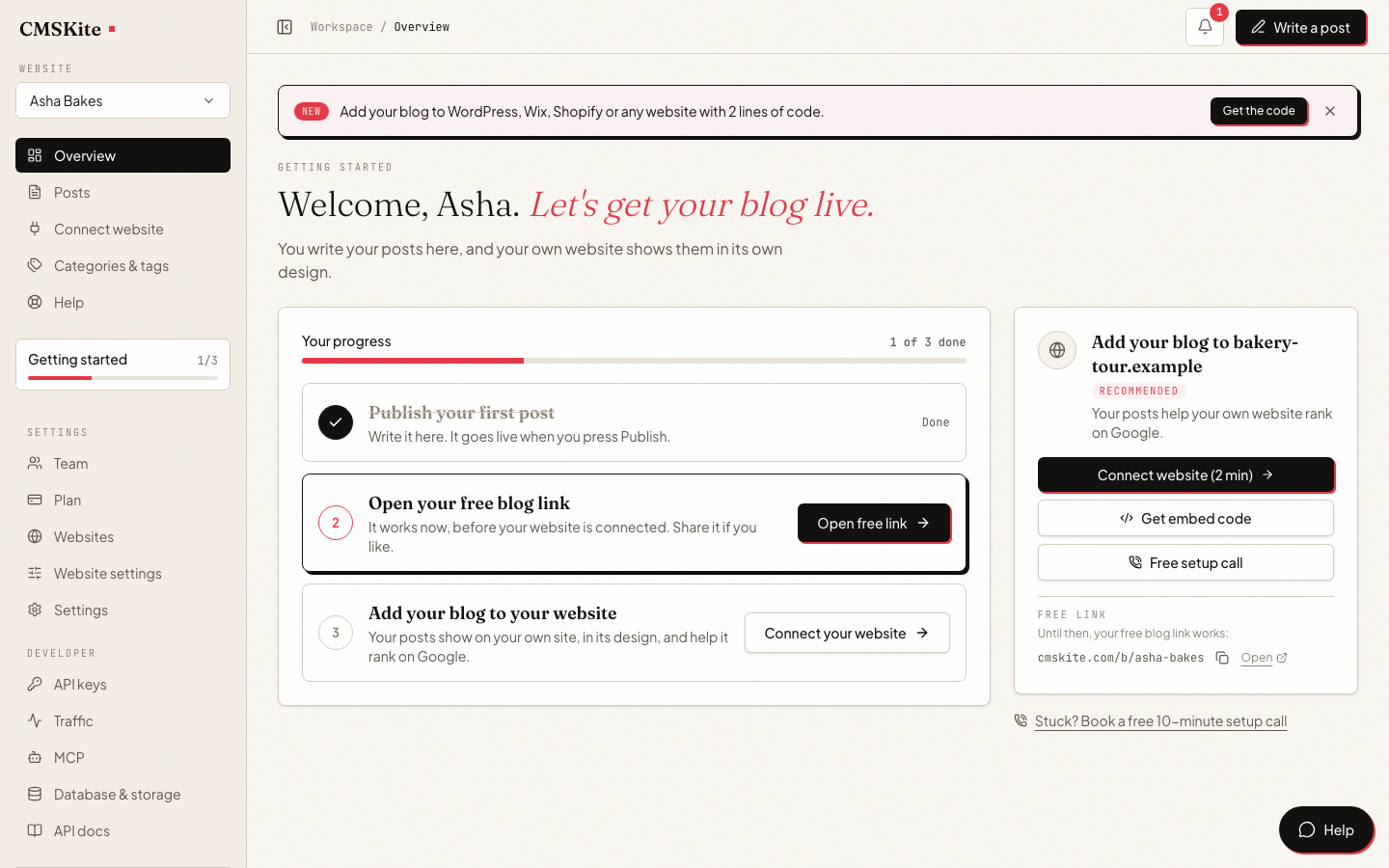
- Overview. One card with your blog’s reads over the last 30 days. If nothing has been counted yet, it says so and links to the fix.
- Posts. A Views (30d) column beside every published post, so the posts that work stand out in the list you already use.
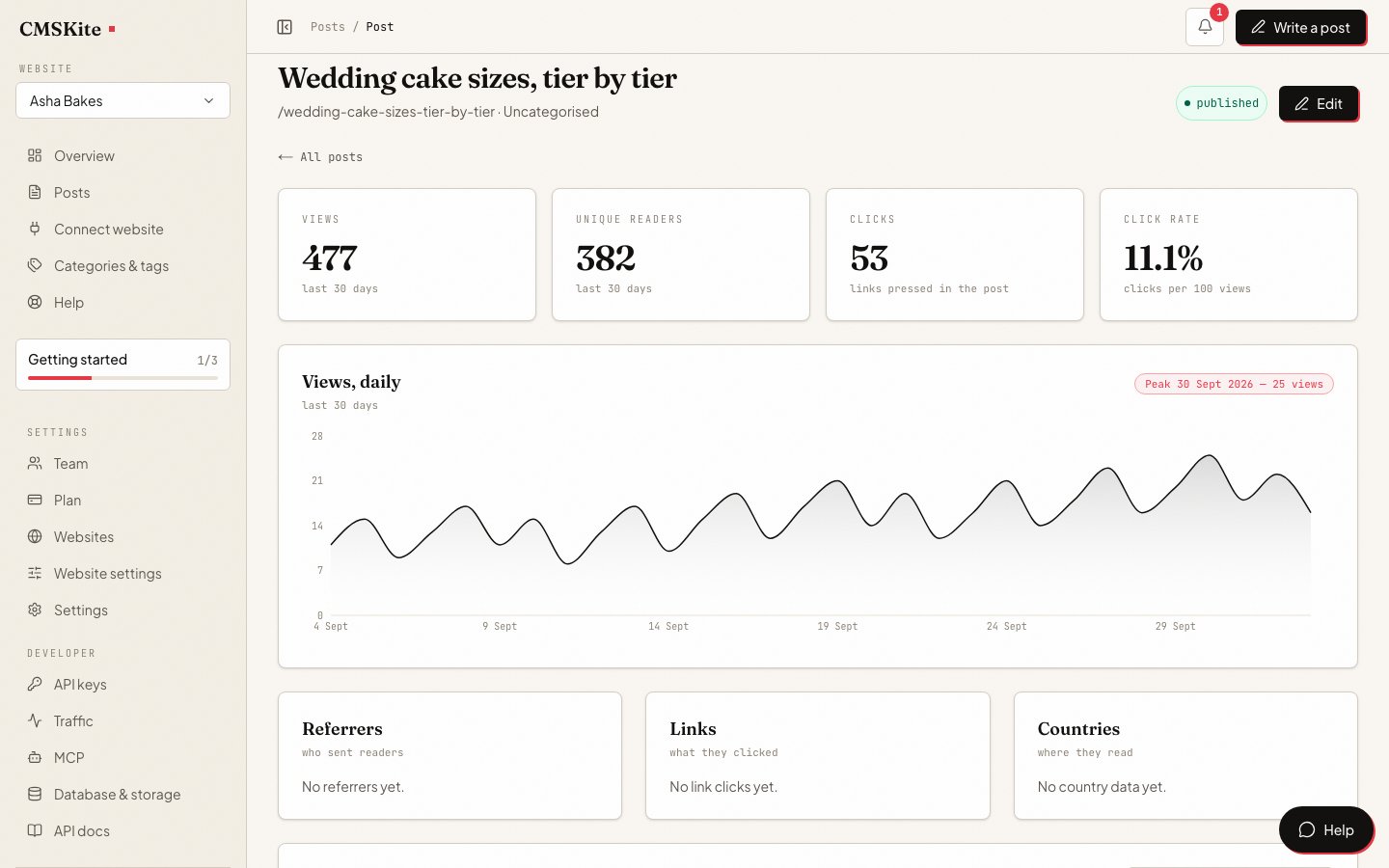
- Each post. Open a published post to see its views, unique readers, clicks and click rate, a daily chart that marks the peak day, the links readers pressed and the countries they read from.
What each number means
| Number | What it counts |
|---|---|
| Views | Readers of a post per day (UTC). One person refreshing five times is one view; the same person tomorrow is a new one. |
| Unique readers | Different readers each day, added up over the range, so one person on three days counts three. Counted with a small statistical counter accurate to within about one percent. |
| Clicks | Every press of a tracked link in the post. Two presses are two clicks. |
| Click rate | Clicks per hundred views. |
| Countries | The reader’s country as a two-letter code, when our network edge supplies one. Never a city. |
A view is reported by the reader’s browser when the post is actually opened. Your site fetching a post is not a view, which keeps build steps, cached pages and search-engine crawlers out of your numbers.
How it counts without a cookie
Nothing is stored in the reader’s browser apart from a note, cleared when the tab closes, of which posts it has already reported. To tell one reader from another for a day, our server combines a random value that changes every day with your website, the reader’s IP address and their browser’s name and version, and keeps only a one-way hash of the result.
- The IP address and the browser string are never stored.
- The daily random value is deleted after 48 hours. After that, nobody, including us, can work out which hash belonged to whom.
- The hash is kept with each reader event for 90 days, then deleted. Daily totals, which contain no identifiers, are kept.
- The page address is stored without its query string, where campaign codes and sometimes email addresses end up.
Because the hash changes every day, a reader cannot be followed from one day to the next or from your site to another. The full account is in our privacy policy.
Turning it on
| Where your blog is | What you do |
|---|---|
| Your free blog link | Nothing. Views are counted from the first reader. |
| Your website, with the two-line embed | Nothing. The embed reports views by itself. |
| A site built with code (Next.js, React, PHP and the rest) | Add one snippet to the page that shows a single post, with your read-only project key and the post’s id. |
'use client'

import { useTrackView } from 'cmskite/react'

export function TrackView({ postId }: { postId: string }) {
  useTrackView(postId, { apiKey: process.env.NEXT_PUBLIC_CMSKITE_KEY ?? '' })
  return null
}
Clicks are counted on coded sites, with trackClick from the same package; the free blog link and the embed report views only. If every post reads zero, Why your views are zero finds the cause in a minute and has the snippet for plain HTML, PHP and WordPress too.
What it does not do
- Same network, same browser, same day: one reader. Two colleagues on the office Wi-Fi with the same browser version count once. Mobile networks often put many phones behind one shared address, so the same can happen there. That is the cost of not using a cookie.
- Returning readers are not recognised. Somebody who reads on Monday and Tuesday counts on both days, and there is no “returning visitor” figure.
- No funnels, sessions, scroll depth or time on page, and no list of individual visitors. There is no visitor to look up.
- Bots are left out when they say what they are: crawlers, link previews,
curl, and automated browsers such as Playwright. A bot pretending to be an ordinary browser is counted. - Ad blockers and privacy extensions can block the report, so some real readers are missed.
- The dashboard shows the last 30 days. Other ranges are available through the API.
New views appear within about a minute. If you need funnels or campaign attribution as well, a full analytics tool can run on your site alongside this one.
Who sees the numbers, and from where
Reader numbers are their own permission. Owners, admins, developers and analysts have it; editors and viewers do not, unless somebody gives it to them. See Team and roles.
The same figures are in the API, with a read-only key: a project summary, the top posts, one post’s series and breakdowns, and totals for up to 50 posts at once. An AI assistant connected through MCP can read them too. The endpoints are in the analytics docs.
On every plan
Reader numbers are the same on every plan, Free included: views, unique readers, clicks and countries for every post. What changes between plans is how much you can publish.
| Free | Starter | Team | |
|---|---|---|---|
| Price | Free forever | ₹799 / $9 a month | ₹2,499 / $29 a month |
| Posts | 35 | Unlimited | Unlimited |
| Websites | 1 | 1 | 5 |
Questions
- Do I need a cookie banner for this?
- CMSKite sets no cookie and stores no IP address. The daily hash is still pseudonymous data, so whether your site needs a notice is a question for your own legal advice. On a site built with code that asks for consent first, the tracker can stay switched off until the reader agrees.
- Why do my posts show zero views?
- On a site built with code, the snippet that reports views is usually missing, or it sends the post’s slug instead of its id. The free blog link and the embed count on their own. Why your views are zero, in the docs, walks through the check.
- Are my own visits counted?
- Yes, if you open a post in an ordinary browser on the live site, once per day like any reader. Automated test browsers are not counted.
- Can I see who read my post?
- No. There is no per-person record to show, by design. You see how many read it, what they clicked and which countries they read from.
- How long is the data kept?
- Individual reader events, with their daily hash, for 90 days. The daily totals behind your charts are kept. The dashboard shows the last 30 days.
- Does it replace Google Analytics?
- For “which posts get read, and what do readers click”, yes. For funnels, campaigns or returning-visitor reports, no; run a full analytics tool alongside it.
Related
- Analytics: the docsDefinitions, the API endpoints and how the counting works.
- Why your views are zeroThe snippet for coded sites, and how to check it in ten seconds.
- Privacy policyExactly what is stored about your readers, and for how long.
- Team and rolesWho on your team can see reader numbers.
- Add your blog with two linesThe embed counts views with nothing else to set up.
Checked