Feature · SEO
A blog platform built to be found, and honest about how.
Each post you publish becomes a page a search engine can file on its own: one address, a title and description written for the results page, a canonical link, article data and a place in a sitemap. Most of it fills itself in. This page says what is automatic, what depends on your website, and where the limits are.
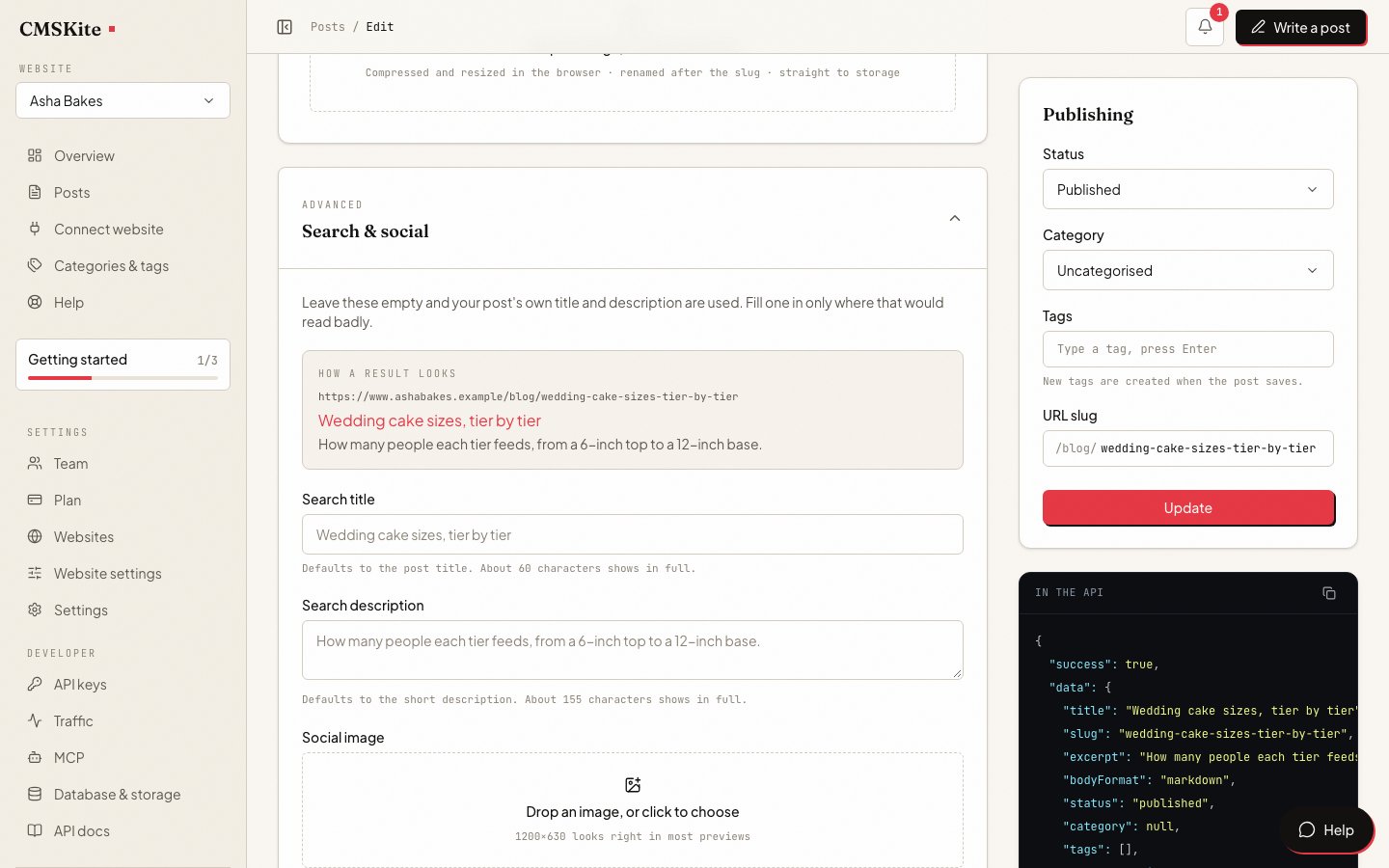
What every post gets
You do not need to know any of this to write a post. The defaults come from the post itself, and the editor’s Search & social panel, folded away under Advanced, is there for the times a default reads badly.
| For search | What it does | If you leave it empty |
|---|---|---|
| URL slug | The post’s own address, e.g. /blog/wedding-cake-guide. | Made from the title. |
| Search title | The blue line in a results page. The editor counts towards the roughly 60 characters that show in full. | The post’s title. |
| Search description | The grey text under it. Counted towards about 155 characters. | The post’s short description. |
| Social image | The picture when the post is shared on WhatsApp, LinkedIn, Slack or X. | The post’s featured image. |
| Canonical link | Tells search engines which address is the real one. | The post’s address on your site, or on the free link until your site is connected. |
| Article data | BlogPosting structured data: headline, description, author, dates, image. | Built from the post. |
| Sitemap entry | Lists the post so search engines find it without hunting. | Added when you publish. |
| Keep out of search | For a page that should stay live but not be found. | Off. |
Renaming is safe. Change the slug of a live post and the old address keeps working: the free link redirects it permanently, the embed opens the post and names the new address as canonical, and the API tells your site to redirect. Drafts written with AI writing arrive with the search title and description already filled in.
How your posts reach search engines
There are three ways to show your posts, and they are not equal for search. The difference is whether the words of the post are in the HTML your server sends, or are added afterwards by a script.
| Where posts show | How the page is made | Who can read it |
|---|---|---|
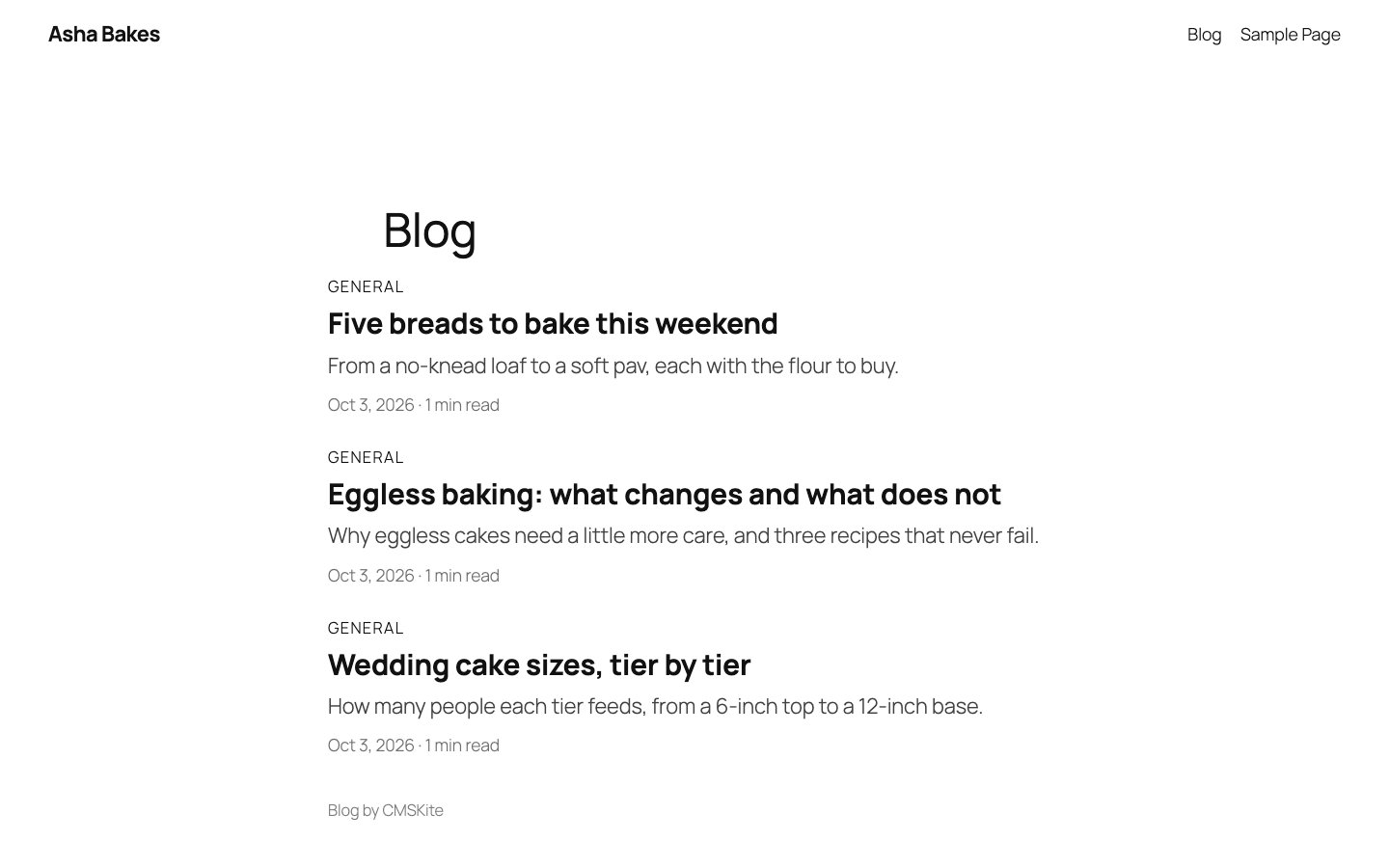
| Free blog link | Finished HTML from our server. | Any crawler, whether or not it runs JavaScript. |
| Two-line embed on your site | Your page loads, then the script draws the post and sets its tags. | Crawlers that run JavaScript, such as Google’s. Many others see the page without the post. |
| Your own code, with the API | Your server puts the post into the HTML. | Any crawler, once your developer renders on the server. |
The embed and the canonical link, honestly
When a post opens through the embed, the script sets the page’s title and description, adds BlogPosting data, and gives the page one canonical link: the post’s own address. It removes any canonical link already on the page so there is only one.
Google’s JavaScript SEO guidance says you can set the title, description and structured data with JavaScript, and you can set the canonical link too, as long as it does not contradict the canonical link in the page’s original HTML. Many site builders print a canonical link on every page, pointing at the page itself. On your blog page that one disagrees with the post’s.
- Remove your platform’s canonical from the blog page where it lets you. On WordPress this is a short, tested snippet that also covers Yoast and Rank Math: see CMSKite for WordPress.
- Where your platform does not let you, check one post in Google Search Console with URL Inspection to see which address Google chose. Give Google our sitemap of your posts either way.
- On Wix, pasted code runs in a frame, so the tags never reach your page. Posts are filed under your free blog link instead, and nothing is lost.
Sitemaps you do not have to build
Your website does not know about posts it only shows through the embed, so its own sitemap leaves them out. We keep one for you that lists every published post at its address on your site, and drops posts you keep out of search. Name it in your robots.txt once and it stays current:
Sitemap: https://cmskite.com/b/your-blog/site-sitemap.xmlDevelopers get the same list from GET /v1/blog/sitemap, as JSON or ready-made XML, plus a feed in RSS, Atom or JSON. Steps for each kind of host are in the embed guide.
Ready for AI search
Assistants that answer questions from the web read pages much as search engines do, and many of their crawlers do not run JavaScript. What helps them is plain: the text in the HTML, a clear headline, an author and a date, and structured data saying which part is the article.
The free blog link and a site that renders posts with the API give them all of that in the HTML. The embed gives it to crawlers that run scripts. If being quoted by AI assistants matters to you, put your posts on your site through the API, or keep the free link public and linked. We cannot promise any assistant will quote you; nobody honestly can.
What we do not do
- No ranking promises. We make each post easy to read and file. Whether it ranks depends on whether it is the best answer to the search.
- “Keep out of search” on an embedded page takes the post out of the sitemaps, but the embed does not add a noindex tag to your page. On the free link the tag is added.
- The hosted sitemaps list every published post. A post marked noindex, or with its own canonical address elsewhere, is left out.
- The keywords field is for you. Search engines have ignored meta keywords for years, and we say so in the editor.
On every plan
| Free | Starter | Team | |
|---|---|---|---|
| Price | Free forever | ₹799 / $9 a month | ₹2,499 / $29 a month |
| Posts | 35 | Unlimited | Unlimited |
| Posts written with AI | 3 a month | 30 a month | 30 a month |
| API requests | 10K / mo | 100K / mo | 500K / mo |
Everything on this page is included on every plan. API requests matter only if your site reads posts with code; the free link and the embed do not use them.
Questions
- Do I need an SEO plugin?
- No. The search title, description, canonical link, article data and sitemap come with every post. On WordPress you may keep your SEO plugin for the rest of your site; just let the blog page’s canonical come from CMSKite.
- Can Google index a blog added with JavaScript?
- Yes. Google renders JavaScript and reads the title, description and structured data the embed sets. The canonical link works best when your page has no other canonical link of its own.
- What structured data does each post have?
- BlogPosting: headline, description, author, published and updated dates, image and the post’s address. On the free link each post also has breadcrumbs, and the blog’s front page has Blog data listing its posts.
- Will my free blog link compete with my own website?
- No. Once your site shows the posts, each post page on the free link names your site’s copy as the canonical one, and the free link’s sitemap stops listing posts.
- Is the blog ready for AI search engines?
- The free link and API-rendered sites serve the full text, author, dates and structured data in the HTML, which is what AI crawlers read. Embedded posts are readable by crawlers that run JavaScript.
- What happens if I change a post’s address?
- The old address keeps working and points to the new one, so links you already have and rankings you already earned are not lost.
Related
- Making your posts findableThe developer’s guide: metadata, sitemap and JSON-LD in code.
- CMSKite for WordPressThe tested canonical snippet and the sitemap line.
- Add a blog to your websiteThe two-line embed, and where it fits.
- Your free blog linkServer-rendered posts from day one.
- AI blog writerDrafts with the search title and description written for you.
- Add your blog with two linesPretty addresses and sitemap steps for each host.
Checked