Feature · Embed your blog
Add a blog to the website you already have.
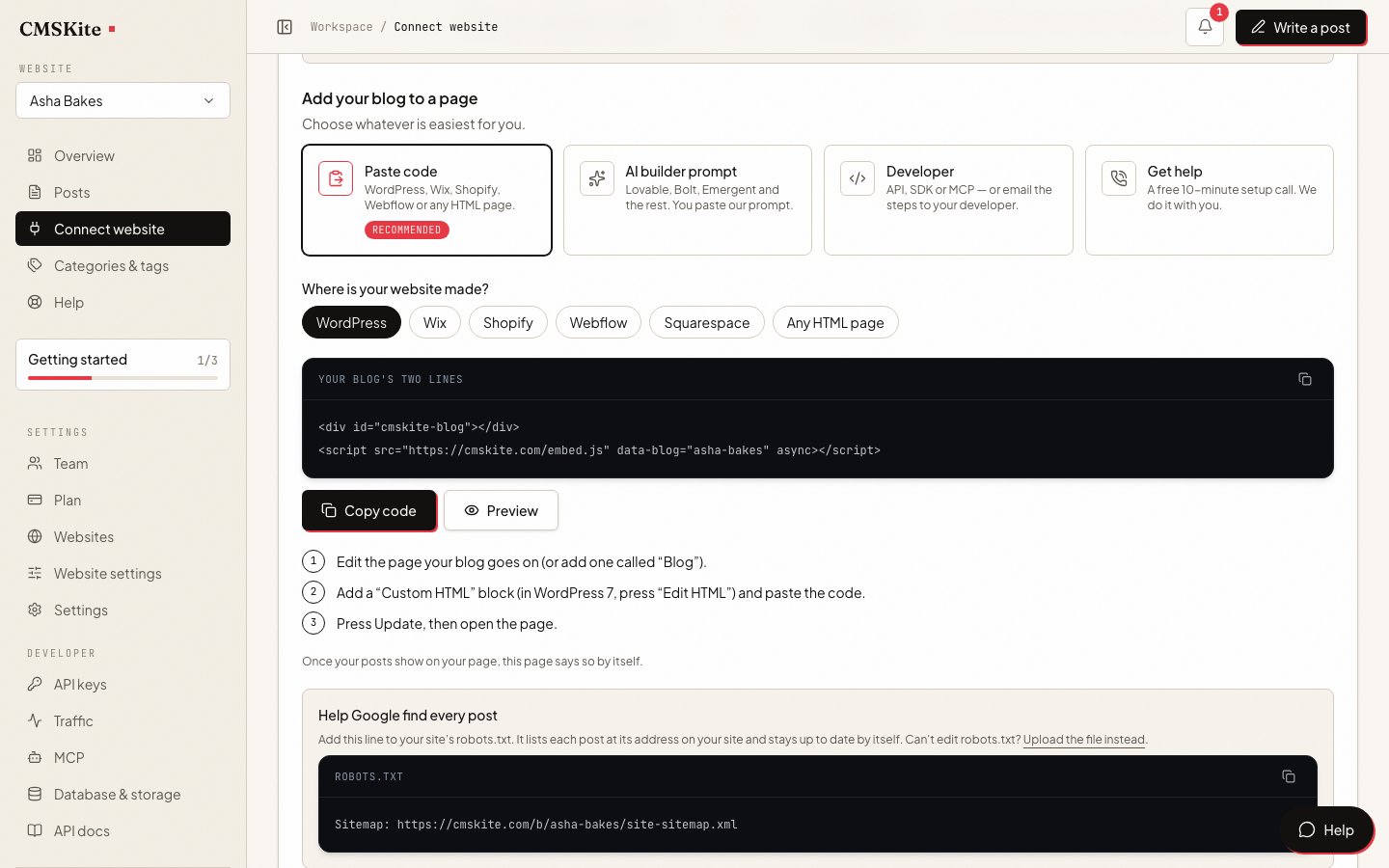
No new theme, no plugin, no developer. Copy two lines from your dashboard, paste them on one page of your site, and every post you publish appears there in your site’s own fonts and colours. A click opens the post on the same page, with its own address.
What it is
Most business websites were built to sell, not to publish. Adding a blog later usually means a new plugin, a theme that does not quite match, or paying somebody to rebuild pages. The embed skips all of that. Your website stays exactly as it is, and one page of it becomes your blog.
You write in CMSKite, by hand or with AI writing. The two lines on your page ask CMSKite for your published posts when somebody opens it, and draw them inside your own header, menu and footer. There is nothing to copy over after you publish, and nothing to update on your site later.
<div id="cmskite-blog"></div>
<script src="https://cmskite.com/embed.js" data-blog="your-blog" async></script>
Who it is for
- Owners of a finished website on WordPress, Shopify, Webflow, Squarespace or plain HTML who want posts on it without touching the design.
- Shops and service businesses whose site was built by someone else, and who would rather not call them for every post.
- Teams where writers should not have the keys to the website. Writers log in to CMSKite, not to your site’s admin.
- Anyone with a static site. A page of plain HTML has no database for posts; the embed brings one.
Built your site with Lovable, Bolt or Emergent? The dashboard has an AI builder prompt for those instead of pasted code. Have a developer? The API and SDK let your site render posts itself.
How it works
Copy your two lines
In the dashboard open Connect your website, stay on Paste code, and choose where your site is made. Press copy.
Paste them on one page
Make a page called Blog, or use one you have, and paste the lines into the box your platform has for code: a Custom HTML block, a Custom Liquid section, a Code block.
Publish the page and open it
Your posts are listed. The first time the page loads on your own website, the Connect page notices and says so by itself.
From then on, only write
Every post you publish appears on that page, usually within a minute or two. Edits and new posts need nothing done on your site.
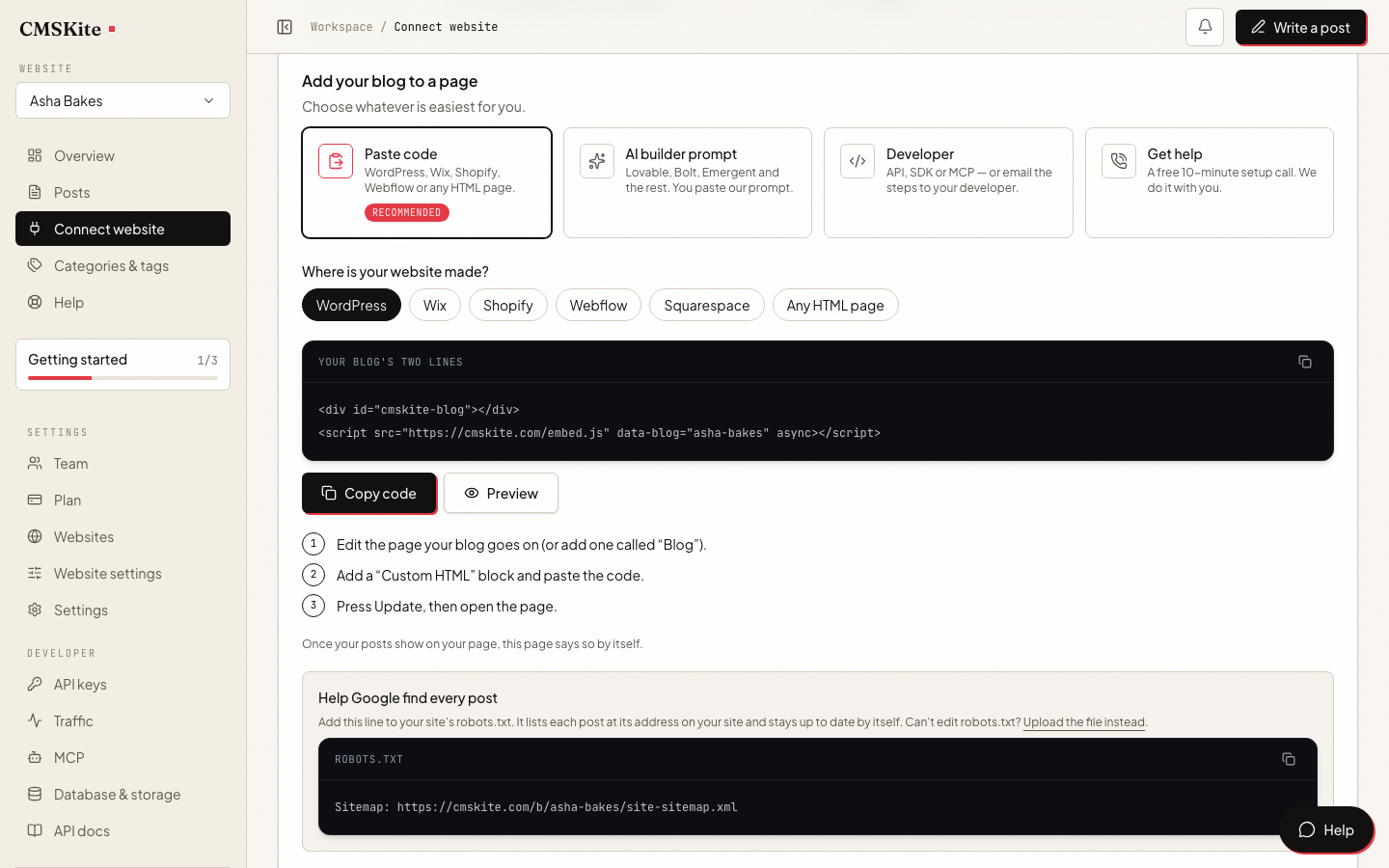
Every option, the nicer /blog/my-post addresses and the sitemap steps are in the docs: Add your blog with two lines.
Where it works
| Your site | Where the code goes | Worth knowing |
|---|---|---|
| WordPress | A Custom HTML block on your blog page | Do not use the page set as the Posts page. Steps and fixes. |
| Shopify | A Custom Liquid section in the theme editor | Steps for Shopify. |
| Webflow | A Code Embed element | Custom code runs on published sites with a paid site plan. |
| Squarespace | A Code block | Scripts in code blocks need the Core plan or above. |
| Wix | Add → Embed Code → Embed HTML | Wix puts the code in a frame. The posts show, but search engines file them under your free blog link. |
| Any HTML page | Where the posts should appear | Upload the page as usual. |
What your readers see
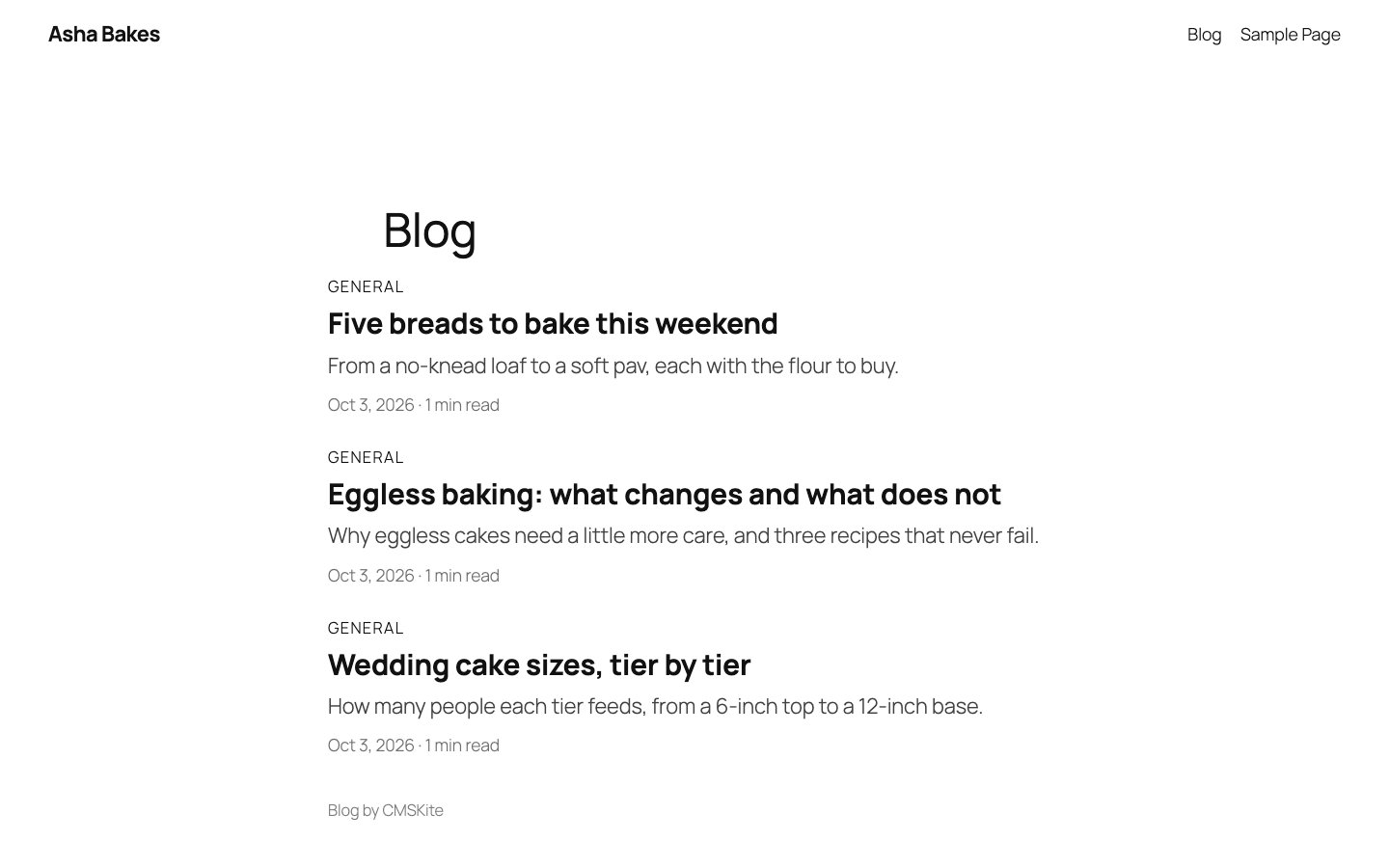
- A list of posts with the featured image, category, title, short description, date and reading time.
- One post at a time, opened on the same page: the title, author, date, image and the full post, with a link back to all posts.
- Your design. The blog takes the page’s own font and text colour. Links and labels use your blog’s colour, or any colour you set with
data-accent. - Its own address for every post, such as
/blog?post=my-post, which you can share and which search engines index. With one rewrite on your host it can be/blog/my-postinstead.
When a post opens, the embed also gives the page that post’s title, description, canonical link and article data, so a search engine can file it as a page of its own. What that needs from your site is on the SEO page.
Honest limits
- It needs JavaScript. The posts are drawn in the visitor’s browser. Google runs the script; many other crawlers, including most behind AI assistants and link previews, do not. If those matter most, render posts on your server with the API, or rely on your free blog link, which is plain HTML.
- Your website’s address must be in Website settings. The blog only counts as connected when it loads on your own site, so a copy pasted elsewhere cannot claim your posts.
- Wix keeps the code in a frame. Readers see the posts; search engines rank the free blog link instead.
- The list shows your newest 50 posts. Older posts keep their own addresses and still open.
- A small “Blog by CMSKite” line sits under the posts.
- Pretty addresses need a rewrite. Shopify, Wix, Squarespace and Webflow do not allow one, so posts there keep
?post=addresses. Google indexes those too.
What it costs
| Free | Starter | Team | |
|---|---|---|---|
| Price | Free forever | ₹799 / $9 a month | ₹2,499 / $29 a month |
| Posts | 35 | Unlimited | Unlimited |
| Websites | 1 | 1 | 5 |
| Team members | 2 | 3 | 5 |
The embed itself is on every plan, the free one included. Each website you add gets its own blog name and its own two lines.
Questions
- Can I add a blog to my existing website without rebuilding it?
- Yes. Nothing on your site changes except the one page you paste the two lines on. Your theme, menu and other pages stay exactly as they are.
- Will it match my website’s design?
- It uses your page’s own font and text colour, and draws inside your header and footer. You can set the colour of links and labels with one attribute. It does not copy your theme’s button styles or layout widths beyond that.
- Does it slow my site down?
- The script is about 12 KB, loads without holding up the rest of your page, and only runs on the page you put it on. The posts load from CMSKite, not from your hosting.
- Is this an iframe?
- No. The posts are drawn straight into your page, which is why they take your fonts and why a post can set the page’s title and canonical link. Wix is the exception: Wix itself wraps pasted code in a frame.
- Do I need to change anything on my site when I publish?
- No. Publish in CMSKite and the post appears on your page, usually within a minute or two. The same goes for edits and for posts you schedule.
- Can I put the blog on more than one page or site?
- The two lines work on any page, but keep them on one page per site so every post has one address. For a second website, add it as its own website in CMSKite: it gets its own blog name, settings and two lines.
Related
- Add your blog with two linesEvery attribute, /blog/my-post addresses and the sitemap steps.
- CMSKite for WordPressThe exact clicks, the common problems and the canonical snippet.
- SEO-friendly blog platformWhat each post tells search engines, and what your site has to do.
- Your free blog linkA blog that works before any website is connected.
- CMSKite for ShopifyThe same two lines on a Shopify store.
Checked