CMSKite for Lovable
A blog for your Lovable site, added in one prompt.
You built the site by chatting with Lovable, so the blog goes in the same way. CMSKite writes the prompt for you: paste it into your Lovable project, publish once, and from then on every post you publish in CMSKite appears on your site, with no new prompt and no republishing.
Why not ask Lovable to build the blog itself?
You can, and Lovable will build you a good-looking blog. The trouble starts with the second post. If the posts live in your project’s code, every new post or typo fix is another chat message, which uses Lovable credits, and another Publish changes before readers see it. If Lovable builds a database for them, you also get an admin screen to maintain and secure.
- Posts never need a republish. Your Lovable pages fetch posts when they open, so a post you publish in CMSKite is live on your site straight away.
- Writers stay out of your project. Invite them to CMSKite as editors; they never see the Lovable chat, your code or your settings.
- A real editor, and AI if you want it. Write with AI drafts a post from one sentence, in English, हिंदी or Hinglish, for you to edit.
What the prompt asks Lovable to build
Written for the model on the other side, with exact addresses and field names, the Lovable prompt asks for:
- A blog page at
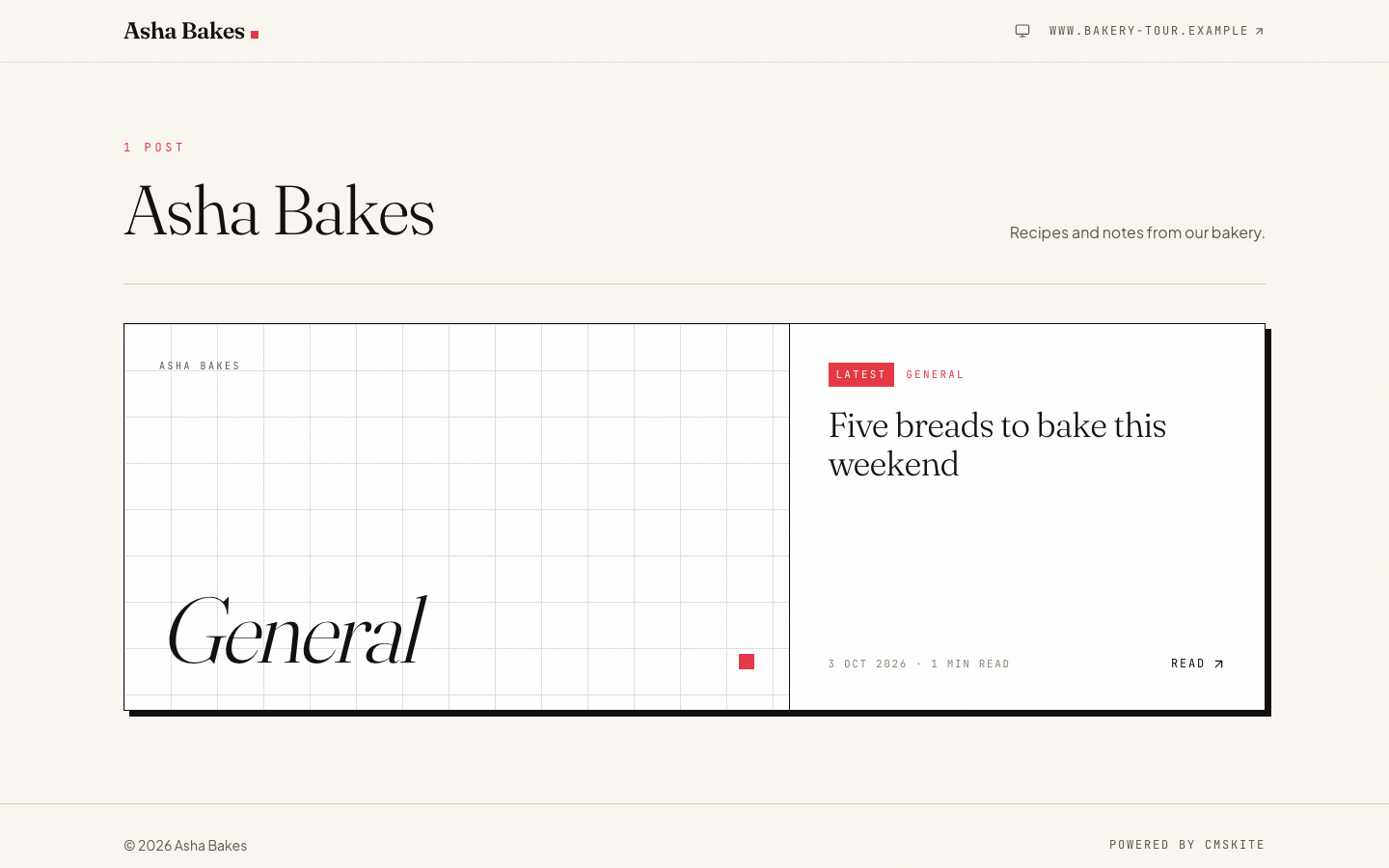
/blogwith each post as a card: cover image, title, excerpt, date and reading time. - A post page at
/blog/:slugthat shows the full post, whether you wrote it as rich text, Markdown or plain text, and a proper not-found page for an unknown address. - A check of which kind of Lovable app yours is. On a TanStack Start app the posts load on the server, in the route’s loader; on an older React + Vite app they load in the browser.
- Each post’s
<title>, meta description and social image set from its SEO fields, and anoindextag on any post you mark as hidden from search. - A small call when the blog page opens, so your dashboard knows the site is live and where the posts are, and one when a post opens, so its reads are counted.
- Your site’s own fonts, colours and spacing, a Blog link in the main menu, and a friendly message while there are no posts yet.
Add it in five steps
Tell CMSKite where your Lovable site lives
Sign up free. In Project settings → General, set Website to the address people visit: your
lovable.appaddress, or your own domain if you have connected one. CMSKite only accepts the “site is live” signal from that address.Copy the prompt
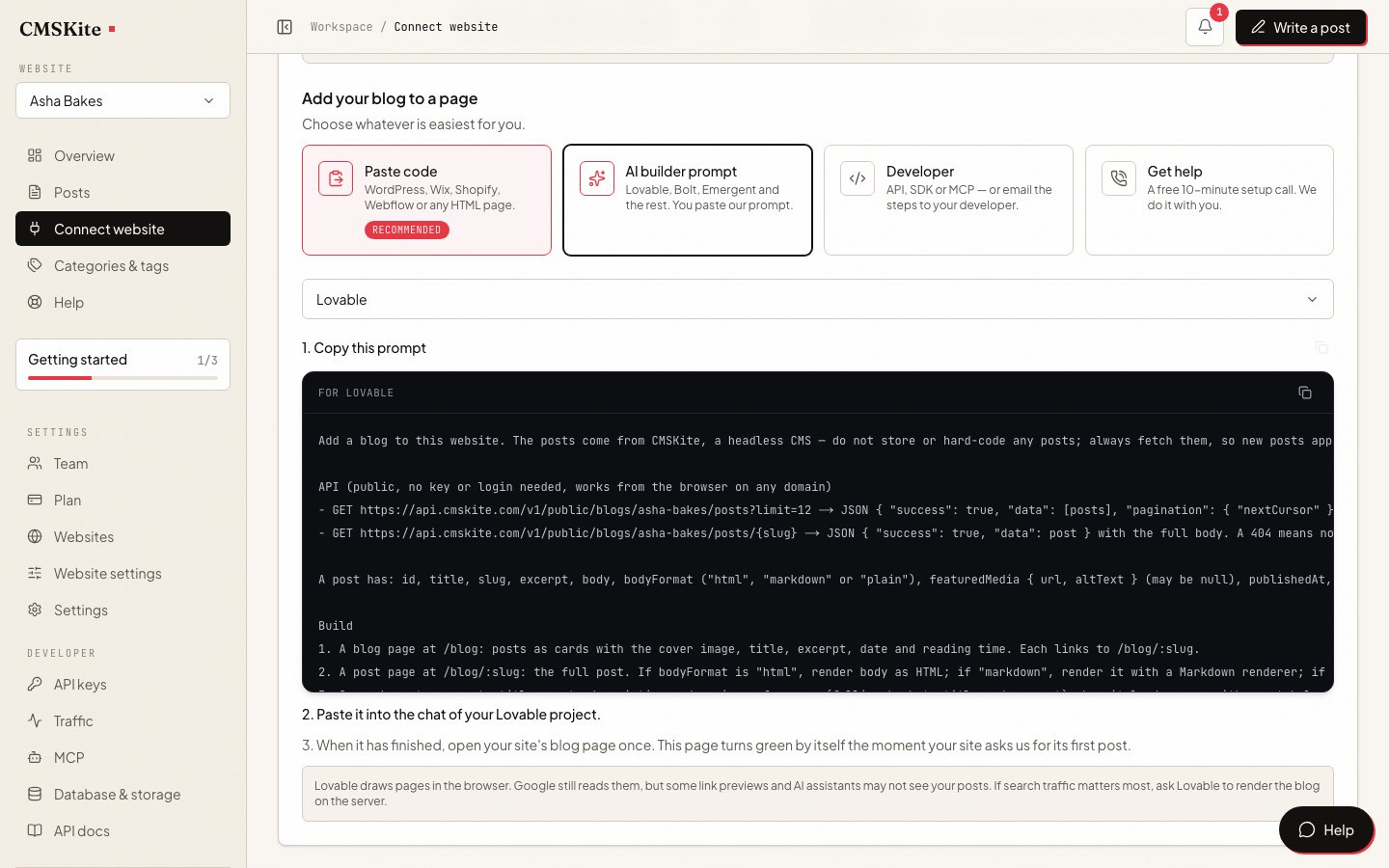
Open Connect your website, choose AI builder prompt, and pick Lovable under Your builder. Lovable needs no key, so the prompt is ready at once. Press Copy prompt.
Paste it into your Lovable project
Paste the prompt into the chat of the project you want the blog in and send it. Check the preview: the blog link in the menu, the list of posts, and one post opened.
Publish the change
Lovable does not update your live site by itself. Open the Publish dialog and press Publish changes (or Publish the first time).
Open the blog on the live site once
Visit
/blogon your published address, not the preview. The CMSKite dashboard turns green by itself within a minute. From now on, publishing a post in CMSKite is all you do.
New Lovable apps and older ones render differently
Lovable changed its stack in 2026, and it matters for a blog. According to Lovable’s docs, apps created from 13 May 2026 use TanStack Start with server-side rendering: every visitor and crawler gets finished HTML. Older apps are React + Vite single-page apps: people get the app drawn in the browser, and Lovable renders the page on the fly for verified crawlers (Google, Bing, social-preview bots and AI engines such as ChatGPT, Perplexity, Claude and Gemini). Other tools, including third-party SEO scanners, see the empty app shell.
- On a TanStack Start app, the prompt has Lovable load the posts in the route’s loader on the server and set the head tags from them. The public blog address needs no key, so the same fetch works on the server.
- On an older React + Vite app, the prompt sets the head tags when the post loads, and Lovable’s crawler rendering includes content loaded at that moment. If you want every tool to see the post, Lovable offers Migrate to TanStack Start (type
/in the chat, or Project settings → General → Project actions). Lovable says most upgrades cost 10 to 35 credits.
Common problems and fixes
The dashboard never turns green
You opened the blog in Lovable’s preview, or on an address that is not the Website in your CMSKite project settings. The signal is only accepted from that site (with or without
www). Fix the setting, then open/blogon the published address.The blog is in the preview but not on the live site
The change was not published. Open Publish and press Publish changes. You only need this once for the blog pages; new posts never need it.
A later prompt broke or removed the blog
A broad request (“redesign the site”) can change pages you did not mean it to. Restore the working version from History, then add a line to your project’s Knowledge, such as “The /blog pages fetch posts from CMSKite; do not hard-code posts or change those pages unless asked”, so Lovable keeps it in mind in every conversation.
A new post does not appear, or old posts are frozen
Lovable copied posts into the code instead of fetching them. Tell it: “Remove any hard-coded posts; always fetch them from the CMSKite API in the prompt.” The prompt says this too, but a long chat can drift.
SEO on a Lovable site
Each post gets its own address on your site, with its own title, description and social image. Once your site has said hello, the copy of each post on your free CMSKite blog link points its canonical link at your Lovable page, so search engines credit your domain, not ours.
A sitemap built from your project’s pages cannot list posts that live in CMSKite, so we keep one for you with every post at its address on your site. Ask Lovable to add this line to the site’s robots.txt, with your blog’s name, then publish:
Sitemap: https://cmskite.com/b/your-blog/site-sitemap.xmlCheck one post the way a crawler would: open it on the live site and use your browser’s View Source. On a TanStack Start app you should find the post’s text there. More in Making your posts findable.
What it costs
| Free | Starter | Team | |
|---|---|---|---|
| Price | Free forever | ₹799 / $9 a month | ₹2,499 / $29 a month |
| Posts | 35 | Unlimited | Unlimited |
| Posts written with AI | 3 a month | 30 a month | 30 a month |
| Websites | 1 | 1 | 5 |
| Team members | 2 | 3 | 5 |
On the Lovable side, sending the prompt is an ordinary chat message and uses Lovable credits; Lovable shows what each message cost under More options → Credits used. A custom domain needs a paid Lovable plan; the free lovable.app address works with CMSKite on every plan.
Sources
Questions
- Do I need to write any code?
- No. You paste one prompt into the Lovable chat. It tells Lovable which pages to build, where the posts come from and how to set each post’s title and description.
- Do I have to republish Lovable for every new post?
- No. You publish in Lovable once, after the blog pages are built. After that your site fetches posts from CMSKite each time a page opens, so a new post is live as soon as you publish it.
- Is there an API key in my Lovable project?
- No. The Lovable prompt uses CMSKite’s public blog address, which serves only your published posts and needs no key, so there is nothing to put in Lovable’s Secrets.
- Will Google index my posts?
- Yes. Apps made since 13 May 2026 are rendered on the server by Lovable; older apps are rendered for verified crawlers including Google. Add our sitemap line to robots.txt so Google finds every post.
- Can I use my own domain?
- Yes, once it is connected in Lovable (a paid Lovable plan). Then set the same address as Website in your CMSKite project settings, so canonical links and the sitemap use it.
- Is it free?
- CMSKite has a free plan with a hosted blog, posts, and AI posts every month, with no card. The table above shows the current limits. Lovable credits for the prompt are charged by Lovable.
Related
- AI blog writerDrafts in English, हिंदी or Hinglish, for you to edit and publish.
- Making your posts findableWhat search engines and AI assistants need from every post.
- Your free blog linkA blog that works before Lovable is connected.
- CMSKite for BoltThe same prompt, for a site built in Bolt.
- CMSKite for EmergentA server-rendered blog for a full-stack Emergent app.
Checked