Compare · Ghost
CMSKite or Ghost? A publication, or a blog for the site you have.
Ghost is a complete publishing site: its own theme, a newsletter, members and paid subscriptions. CMSKite is only the blog, shown on a free link and inside the website you already run. If your writing is the business, Ghost does far more. If the blog is there to bring customers to a business website, CMSKite is the shorter path. The details, from Ghost’s own docs.
The short answer
- Choose Ghost if you want a newsletter, members, paid subscriptions and comments, on a site that is the publication itself.
- Choose CMSKite if you already have a website and want the blog inside it, in its design, without running or proxying a second site.
- The deciding question: should readers subscribe to your writing, or find your business? Ghost is built for the first, CMSKite for the second.
If you already have a website
Ghost renders a site of its own, with its own theme. Next to an existing website it usually sits on a subdomain such as blog.yourbusiness.com. Ghost(Pro) can serve it at yourbusiness.com/blog instead, but only as a $50 a month add-on to the Business plan, behind a reverse proxy you run yourself, and Ghost recommends that only for teams comfortable with complex infrastructure.
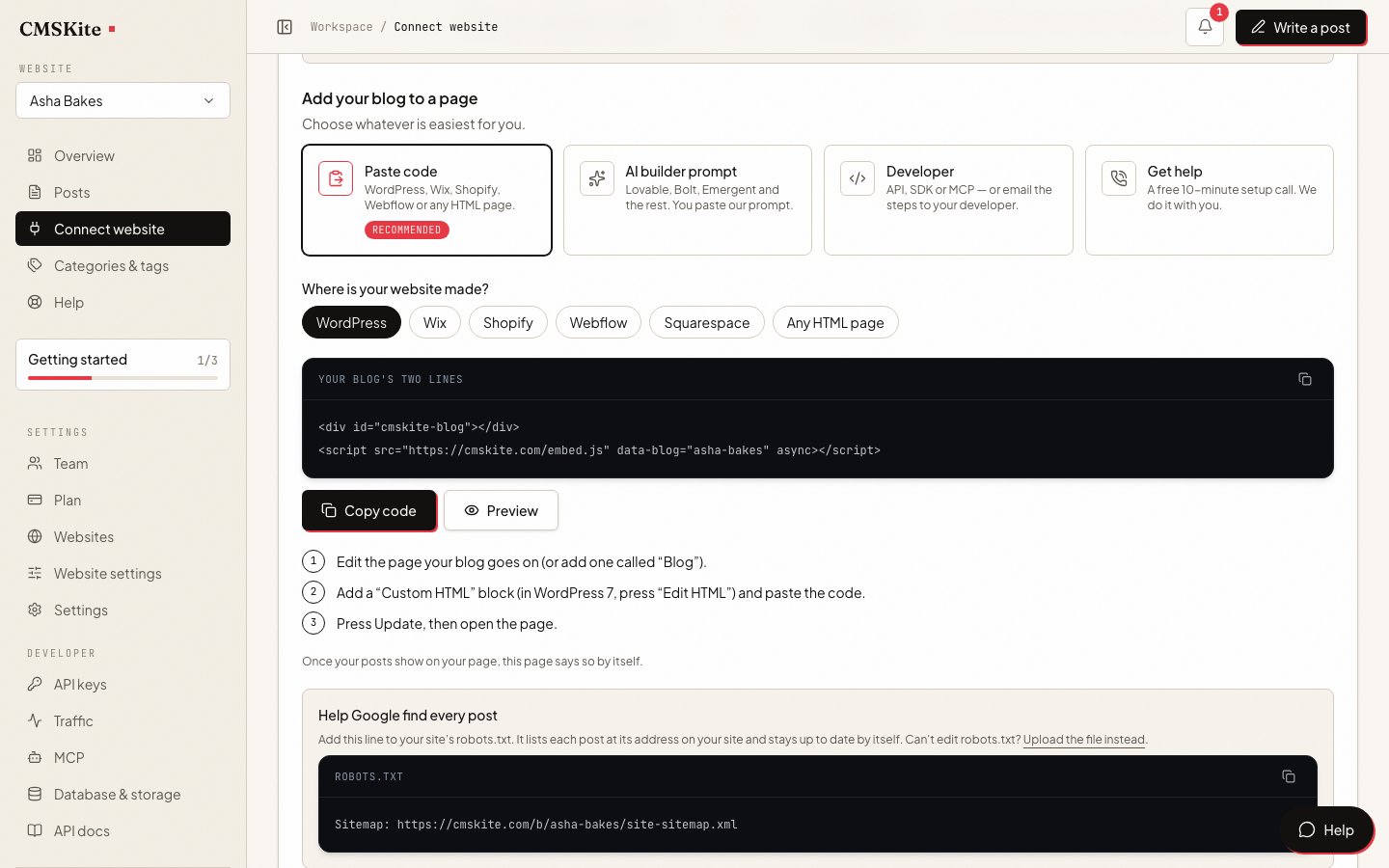
CMSKite works the other way round: two lines on a page of your existing site, and the posts appear inside your own header, menu and footer, in your fonts. There is no proxy and no second site. The trade-off is that the embed draws posts with JavaScript, which Google runs and many other crawlers do not; a developer can put the posts in the HTML instead with the API.
Ghost can also run headless: its read-only Content API gives posts to a front end a developer builds. That is the same job CMSKite’s API does, so for a developer the choice comes down to the rest of the list below.
Side by side
| Ghost | CMSKite | |
|---|---|---|
| What it is | Open-source publishing software (MIT licence): a website with a theme, a newsletter and members. | A blog service: a dashboard, a free blog link, a two-line embed and an API. No theme, newsletter or members. |
| Hosting | Ghost(Pro) from $18 a month billed yearly, or your own server: Ubuntu 22.04, 24.04 or 26.04, MySQL 8, NGINX and at least 1 GB of memory. | Hosted by us. A free plan with no card; the blog link is live from sign-up. |
| On a site you already have | A subdomain, or a subdirectory through your own reverse proxy ($50 a month add-on, Business plan). | Two lines on one page of WordPress, Shopify, Webflow, Squarespace, Wix or plain HTML. |
| Newsletter and members | Built in. An email newsletter on every Ghost(Pro) plan; paid subscriptions from Publisher, with no transaction fee from Ghost. | None. CMSKite sends no email to readers and has no members or paywall. |
| Comments | Native, for signed-in members: all members or paid members only. | None. |
| Writers | Contributor (drafts only), Author, Editor and Administrator. Ghost(Pro) staff users: 1 on Starter, 3 on Publisher, 15 on Business. | Six roles plus roles of your own; publishing is a permission of its own. Seats depend on the plan. |
| For developers | A read-only Content API with a key that is safe in browsers. | A read-only REST API, a TypeScript SDK, an MCP server for AI assistants and signed webhooks. |
| Moving in | Importers for WordPress, Substack, Medium, Squarespace, Mailchimp, beehiiv and more, under Settings → Advanced → Import/Export. | No importer yet. |
| Moving out | Content as a JSON file; members as a CSV file. | No export button. Every post can be read through the API, in the format it was written (Markdown, HTML or plain text). |
When Ghost is the better choice
- Your writing is the product. A newsletter, free and paid members, and comments are built in. CMSKite has none of them.
- You want readers to pay you. Ghost handles paid subscriptions and takes no transaction fee of its own. CMSKite has no paywall.
- You are moving from Substack, Medium or WordPress. Ghost imports the posts, and from Substack and Medium the members too. CMSKite has no importer.
- You want to run it yourself. Ghost is MIT-licensed and runs on your own server. CMSKite is a hosted service; paid plans can keep the content in your own MongoDB, but the service is ours.
- The blog is the whole site. Ghost gives you a site with a theme and pages. CMSKite’s free link has a front page, post pages and category pages, and nothing else.
When CMSKite is the better choice
- The blog belongs inside a business website. Two lines put it on a page of the site you have, in that site’s design, with no proxy and no second site. How the embed works.
- Nobody wants to run a server. There is nothing to install, update, back up or keep online, and the free blog link works before any website is involved.
- You run blogs for several sites or clients. One account holds several websites, each with its own blog link, AI brief and two lines, and a person can be let into one client only. Team and roles.
- You want drafts done for you. Write with AI drafts a post from one sentence, in English, Português, Español, हिंदी or Hinglish, following a brief about your business.
- An AI assistant should be able to write. The MCP server lets Claude, Cursor and other assistants draft posts with a token limited to what you tick.
- You want to start free. The free plan needs no card and does not end. Ghost(Pro) starts at $18 a month, billed yearly.
Moving from Ghost
Ghost exports your content as one JSON file, but CMSKite has no importer, so posts come across by hand, or a developer creates them through the API. Members and newsletter subscribers have nowhere to go in CMSKite: if you still want to email them, keep Ghost or an email tool for that and link to the posts on your site.
Posts that already rank on your Ghost site are usually best left at their addresses. Write new topics in CMSKite, and do not repeat a Ghost post’s topic there, so two posts do not compete for one search.
What CMSKite costs
| Free | Starter | Team | |
|---|---|---|---|
| Price | Free forever | ₹799 / $9 a month | ₹2,499 / $29 a month |
| Posts | 35 | Unlimited | Unlimited |
| Posts written with AI | 3 a month | 30 a month | 30 a month |
| Websites | 1 | 1 | 5 |
| Team members | 2 | 3 | 5 |
Ghost(Pro) is $18 a month billed yearly on Starter (1 staff user, 1,000 members), $29 on Publisher (3 staff users, paid subscriptions) and $199 on Business (15 staff users, 10,000 members). Self-hosted Ghost is free software on a server you pay for and look after.
Sources
- Ghost(Pro) pricing — Ghost
- How to install Ghost on Ubuntu — Ghost Docs
- Using Ghost(Pro) with a subdirectory — Ghost Help
- Managing your team (staff roles) — Ghost Help
- Commenting — Ghost Help
- Importing content — Ghost Help
- Exporting content and members — Ghost Help
- Content API — Ghost Docs
- Ghost (MIT licence) — TryGhost on GitHub
- JavaScript SEO basics — Google Search Central
Checked on 4 October 2026. If something here has changed, tell us and we will correct it.
Questions
- Is Ghost free?
- The software is free and open source under the MIT licence, if you host it on your own server. Ghost(Pro), the hosted service, starts at $18 a month billed yearly.
- Can I put a Ghost blog on my existing website?
- On a subdomain such as blog.yourbusiness.com, yes. At yourbusiness.com/blog only through a reverse proxy you run, which on Ghost(Pro) is a $50 a month add-on to the Business plan. CMSKite goes on a page of your site with two lines.
- Does CMSKite have a newsletter like Ghost?
- No. CMSKite sends no email to readers and has no members or paid subscriptions. Developers can get an RSS, Atom or JSON feed of published posts from the API.
- Which is better for SEO?
- Ghost serves finished HTML pages of its own site. So does CMSKite’s free blog link; the embed on your own site draws posts with JavaScript, which Google reads and many other crawlers do not. Past that, ranking depends on the posts far more than on either tool.
- Can I move my Ghost posts to CMSKite?
- There is no importer. Ghost exports content as JSON; a developer can create the posts through CMSKite’s API, or you can copy the ones that matter by hand. Members stay with Ghost or your email tool.
Related
- Add a blog to your websiteThe two lines, and where they fall short.
- For developersThe REST API, SDK, MCP server and webhooks.
- Team and rolesWriters, editors and clients, each with their own access.
- CMSKite vs Medium and SubstackIf a newsletter or a reading platform is the alternative.
- CMSKite vs Contentful and SanityIf you are choosing a headless CMS for a blog.
Checked