Your website's growth, in your pocket
A guided tour of the CMSKite app in four parts: start your day, grow your site, measure what works and fix what holds it back.
Start the day with what needs you
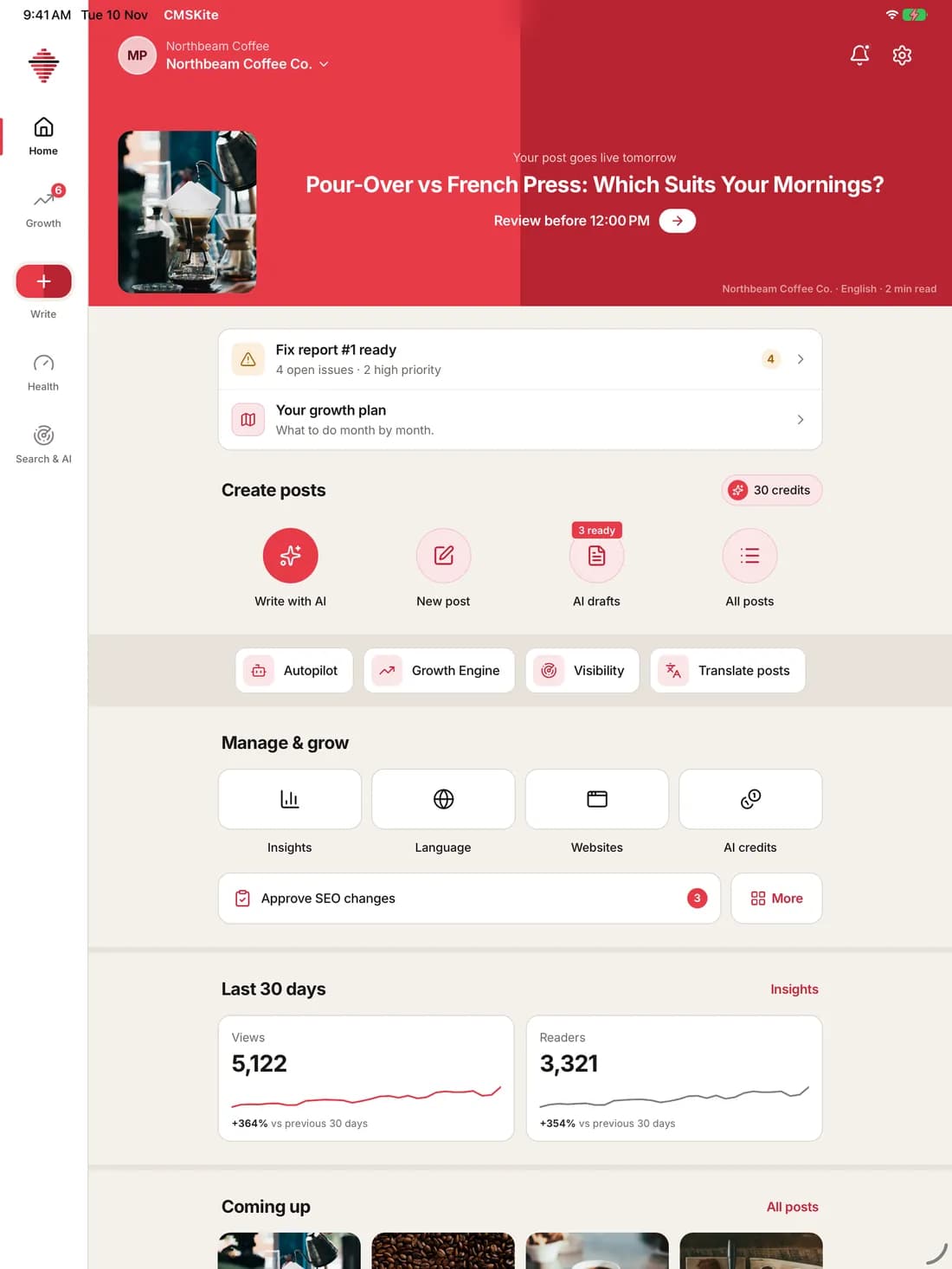
Home opens on the next post going live and the few things that need you today. Everything else is one tap away.
- See the next scheduled post and its review deadline
- Open your fix report and monthly growth plan
- Write a post with AI, start a blank one, or open drafts
- Check views and readers for the last 30 days
Nothing goes live without your OK
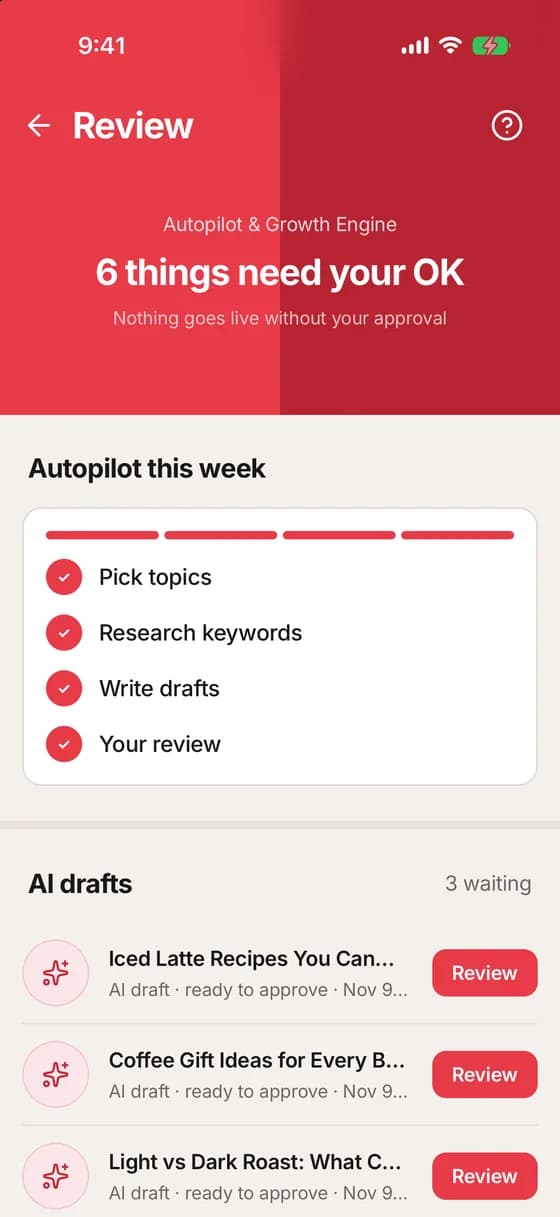
Autopilot and Growth Engine do the work. Review is where you approve it, one item at a time.
- Follow this week’s autopilot steps, from topics to drafts
- Approve or open each AI draft
- Approve SEO changes before they ship
- Change the autopilot schedule
Grow your site
A month-by-month plan, posts written for your business and results for every post.
Your SEO work, planned month by month
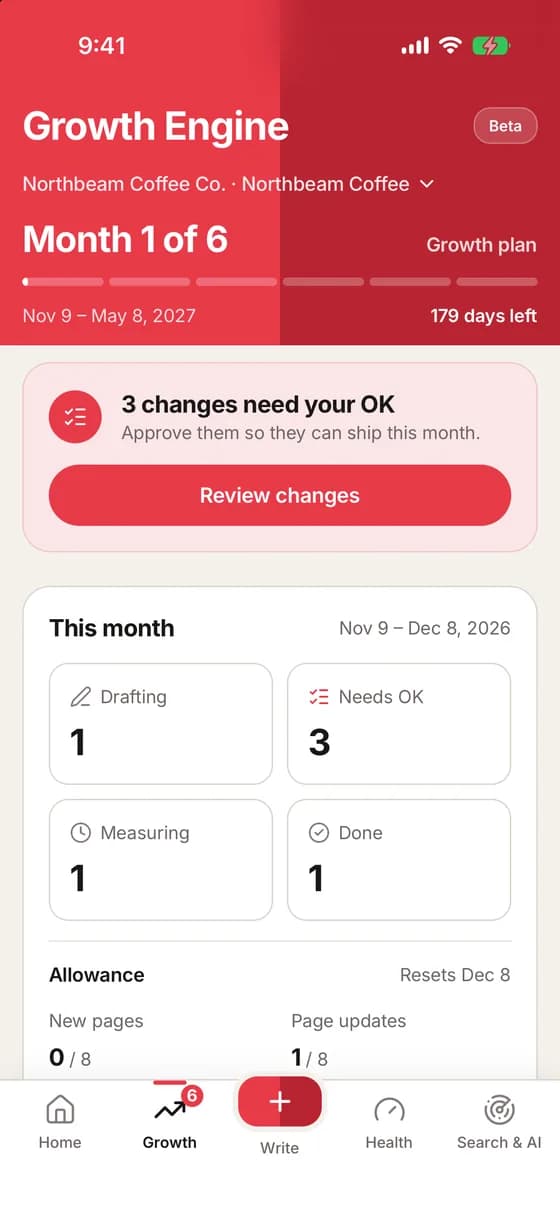
A six-month engine that picks the work with the biggest payoff, ships it after your OK and measures what changed.
- Track the month and the days left
- See changes drafting, waiting, measuring and done
- Watch the monthly allowance for new pages and updates
- Read this month’s focus and your key numbers
Know what to fix next, in order
A plain plan for 3, 6 or 12 months. Each month lists the work and how you will know it is done.
- Pick a plan length; the app suggests one
- Read the fixes and posts for each month
- See a clear “done when” line per month
- No promised rankings or traffic numbers
Write, schedule and publish on the go
Every post in one list, with its state at a glance. On iPad the list and the post sit side by side.
- Search posts by title
- Filter drafts, scheduled and published
- See when each post goes live
- Ask AI about your posts
See how every post performs
Open any post to see its numbers and details, then jump straight into editing.
- Views, readers and clicks for the last 30 days
- URL slug, languages and dates
- Read the full post
- Edit in one tap
Measure what works
Google, website visitors and AI assistants, on one phone, in plain words.
Google and AI traffic in one place
Clicks, searches and AI visits for your site, with the next best things to do listed underneath.
- Switch between 7, 30 and 90 days
- Read clicks, times shown, click rate and position
- See visits from ChatGPT, Perplexity and Gemini
- Act on opportunities, like reconnecting Search Console
Every number for your site, explained
Google Search, website visitors and AI crawlers on one page, with an AI button that explains what changed in plain words.
- Switch between 7, 30 and 90 days
- Read clicks, times shown, click rate and position
- Connect Google Analytics for visitor numbers
- Ask AI to explain the numbers
See how AI assistants talk about you
Ask the questions your customers ask ChatGPT, Perplexity, Gemini and Claude, then track every answer.
- See which assistant names you, and how often
- Find competitors named instead of you
- Read the full answer and its links
- Get tips to show up more
Fix what holds you back
Scan your site, read one clear report and fix the problems in order.
Your first report, from your own site
After the first scan the app turns the results into one report: a score, the problems that hold your pages back and what to fix first.
- See the site score and how many pages can appear in search
- Problems split into serious, medium and minor
- Open each fix with the reason and the pages it affects
- Share the report with your developer
Find what holds your pages back
A single score for your site, split by area, with the problems sorted by how much they cost you.
- See the health score and change since the last check
- Compare technical, content, markup and speed
- Spot pages by score
- Open each problem and the pages it affects
Every screen at once
Get the app
Free to download. Sign in with your CMSKite account and your workspace is already there.
Screens captured from the CMSKite app, November 2026. Tap any screen to zoom; use the arrow keys to move. Demo workspace: Northbeam Coffee Co. is a made-up business; all numbers are sample data.